I ran into a particularly annoying issue after updating the Android SDK Build Tools in Android Studio. I had installed both Build Tools 29 rc1 and rc2, thinking that keeping everything up to date would be harmless.
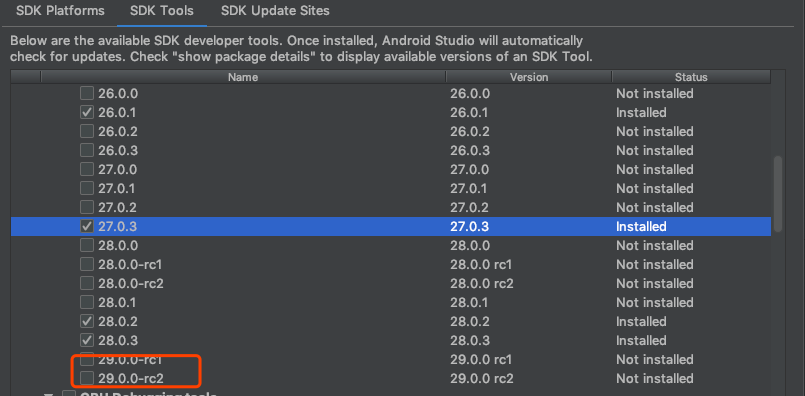
After that, exporting the project and opening it in Android Studio immediately produced this error:
android studio ERROR: Failed to find Build Tools revision 29.0.0
And if I tried to build an APK directly and install it, I got another error:
Installation error:INSTALL_PARSE_FAILED_UNEXPECTED_EXCEPTION
That second message is especially misleading. Most of the fixes you find online point you toward changing the keystore or editing Unity’s export templates. In this case, that only sends you further in the wrong direction.
What actually worked was much simpler.
I found this solution on Stack Overflow:
For building a project, Unity3d uses a stable version of the Build Tools and not an rc (release candidate).
The Android SDK path is usually C:\Users\<username>\AppData\Local\Android\sdk\build-tools\
delete the 29.0.0-rc1 folder or move it out to anywhere.
You could also remove the rc version of the SDK Build Tools via Android Studio's SDK manager.
Doing that the project should build successfully.
In practice, the fix was to remove the Build Tools 29 rc1 and rc2 versions first, then package the project again. After doing that, the APK installed successfully.

A likely explanation for Unity’s Build Tools behavior
Based on this experience, it seems possible that once a newer Build Tools version is installed, Unity will try to use the most recently updated one during export. But when it references the version, it may only look at the leading version number in a way that causes confusion.
That would explain the strange behavior here: even though 29 rc1 and 29 rc2 were installed, Unity still insisted on looking for a Build Tools revision named simply 29.0.0.
It may be a path-matching issue, or some hidden bug in how Unity detects Android Build Tools versions. Either way, if Unity starts failing to export APKs right after you install release candidate Build Tools, the first thing worth trying is to remove those RC versions and rebuild.