After installing macOS, I still found the startup process inconvenient. In Chameleon, I had to select the macOS system partition manually before the system would boot. The solution was to edit Chameleon's configuration so that it could select the correct partition automatically.
Edit the Chameleon configuration
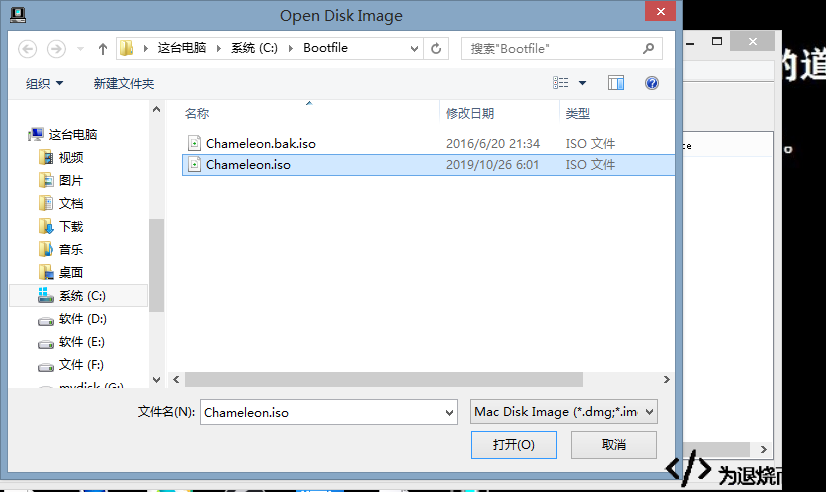
First, install and open TransMac. It is recommended for this task because files modified with UltraISO may no longer boot correctly.
Open your Chameleon installation, then enter the Extra folder and drag org.chameleon.Boot.plist out to a location where it can be edited.
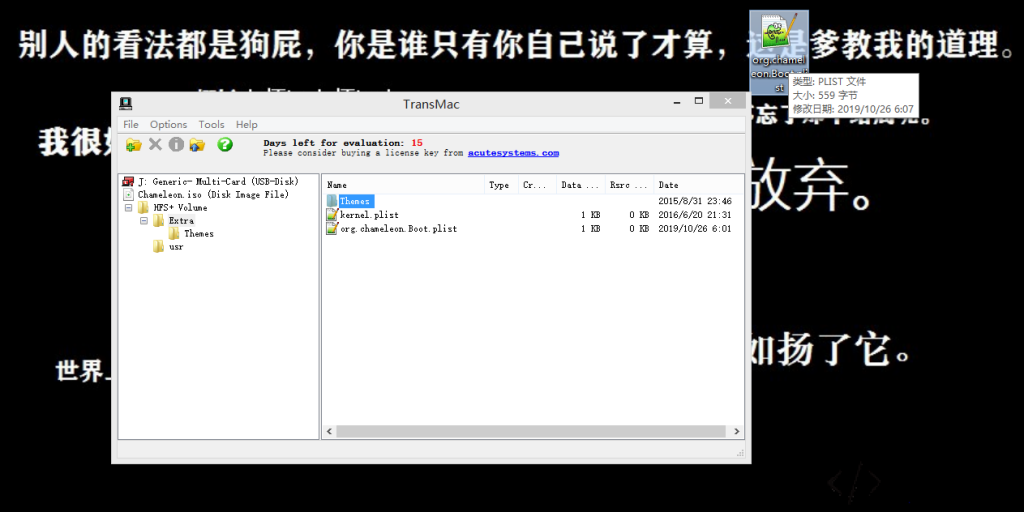
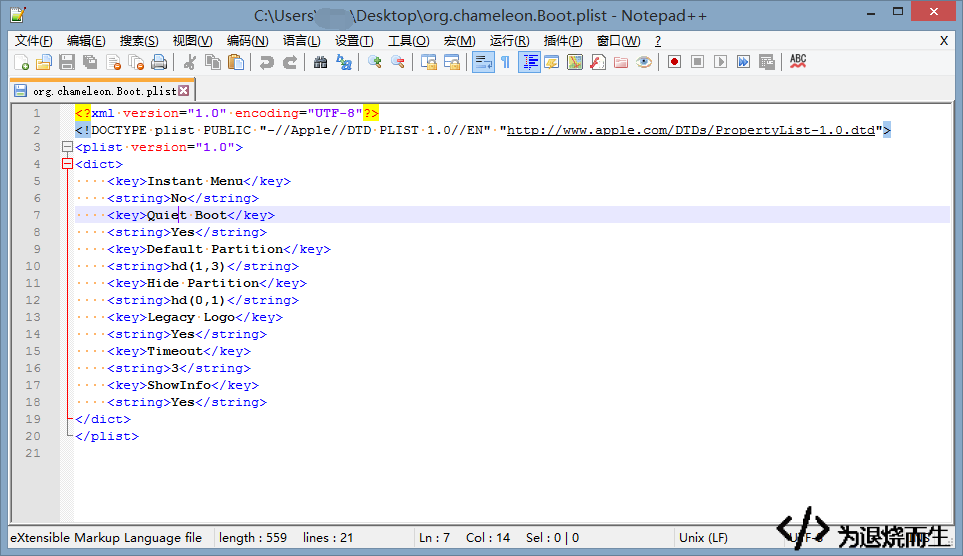
Modify the relevant entries as needed:
Instant Menu--see the explanation below
No Quiet Boot--see the explanation below
Yes Default Partition--the number of your macOS partition, which can be found by running the diskutil list command in macOS
hd(1,3) Hide Partition--the partition to hide
hd(0,1) Legacy Logo
Yes Timeout--must not be 0, otherwise the system may become stuck during boot
3 ShowInfo Yes –remove the comments
The boot behavior depends on the values of Quiet Boot and Instant Menu:
- When
Quiet Bootis set toYesandInstant Menuis set toYes, configuringDefault Partitionallows Chameleon to enter macOS directly. - When
Quiet Bootis set toNoandInstant Menuis set toYes, you must select the macOS system partition manually and press Enter. - When
Quiet Bootis set toYesandInstant Menuis set toNo, configure bothDefault PartitionandTimeout. Chameleon will display a countdown. Pressing F8 during the countdown opens the disk-selection screen; pressing any other key continues into macOS.
Put the edited file back
Once the changes are complete, drag the modified org.chameleon.Boot.plist back into TransMac. When prompted, choose Yes.
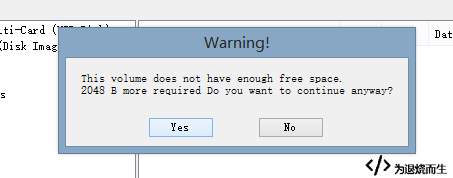
Choose Yes again when the second confirmation appears.
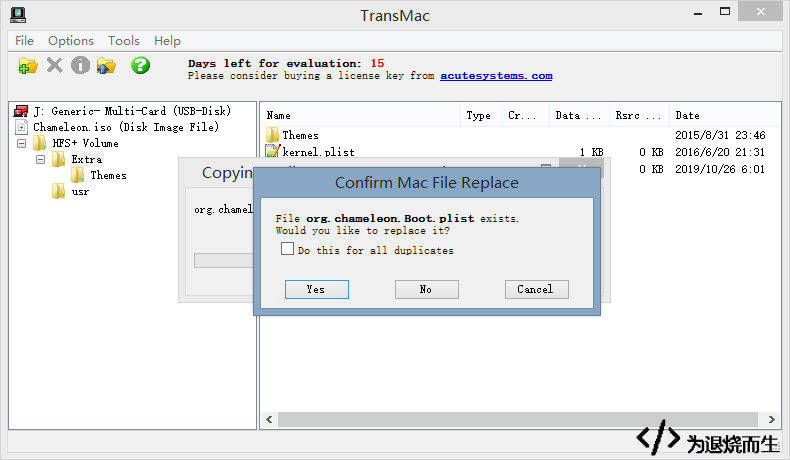
The configuration is now updated. TransMac modifies the file directly rather than requiring a separate save operation, so keep a backup of the original file before making any changes.