EdgeOne itself is great, but the CNAME it provides is pretty underwhelming. If you want a better self-managed preferred domain for EdgeOne, setting one up yourself is worth it. A small script can handle the job.
Project address:
github.com
https://github.com/AirTouch666/eoip
The Hong Kong preferred option is no longer valid. For the CNAME, it is recommended to switch to
edgeone.182682.xyz.
What you need
- A VPS
- A domain already hosted on Huawei Cloud International
- A Huawei Cloud International account
- A functioning brain
- Hands
Setup
Get the project first by cloning it or downloading the ZIP:
github.com
https://github.com/AirTouch666/eoip
Rename config.py.example to config.py.
Then fill in your Huawei Cloud credentials. In Huawei Cloud International, open My Credentials from the top-right menu.
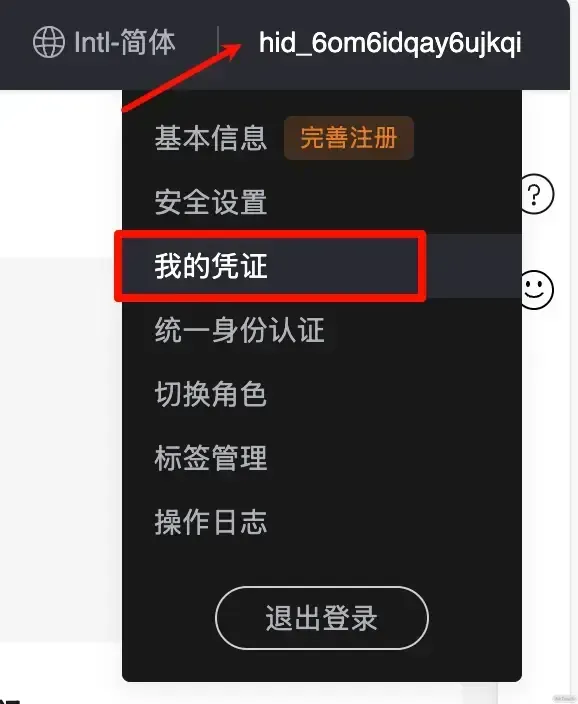
From the left sidebar, open Access Keys and create a new one. A CSV file will be downloaded, and it contains your Access Key Id and Secret Access Key. Put those into ACCESS_KEY_ID and ACCESS_KEY_SECRET inside config.py.

For example, if the domain you host on Huawei Cloud is eo.aaa.com and you want to upload the preferred IP to bbb.eo.aaa.com, then set:
ZONE_NAMEtoeo.aaa.comRECORD_NAMEtobbb.eo.aaa.com
You can also bind Bark for notifications if you want alerts. The details are in the Bark repository:
github.com
https://github.com/Finb/Bark
Run it
You will need Python installed first. Installation depends on your system, so just use the usual method for your environment.
Go to the project directory, for example:
cd /opt/eoip
Install dependencies:
pip install -r requirements.txt
Then run main.py:
python main.py
Add a scheduled task
If you use 1Panel, open Scheduled Tasks from the left sidebar and create a task like the one shown below.
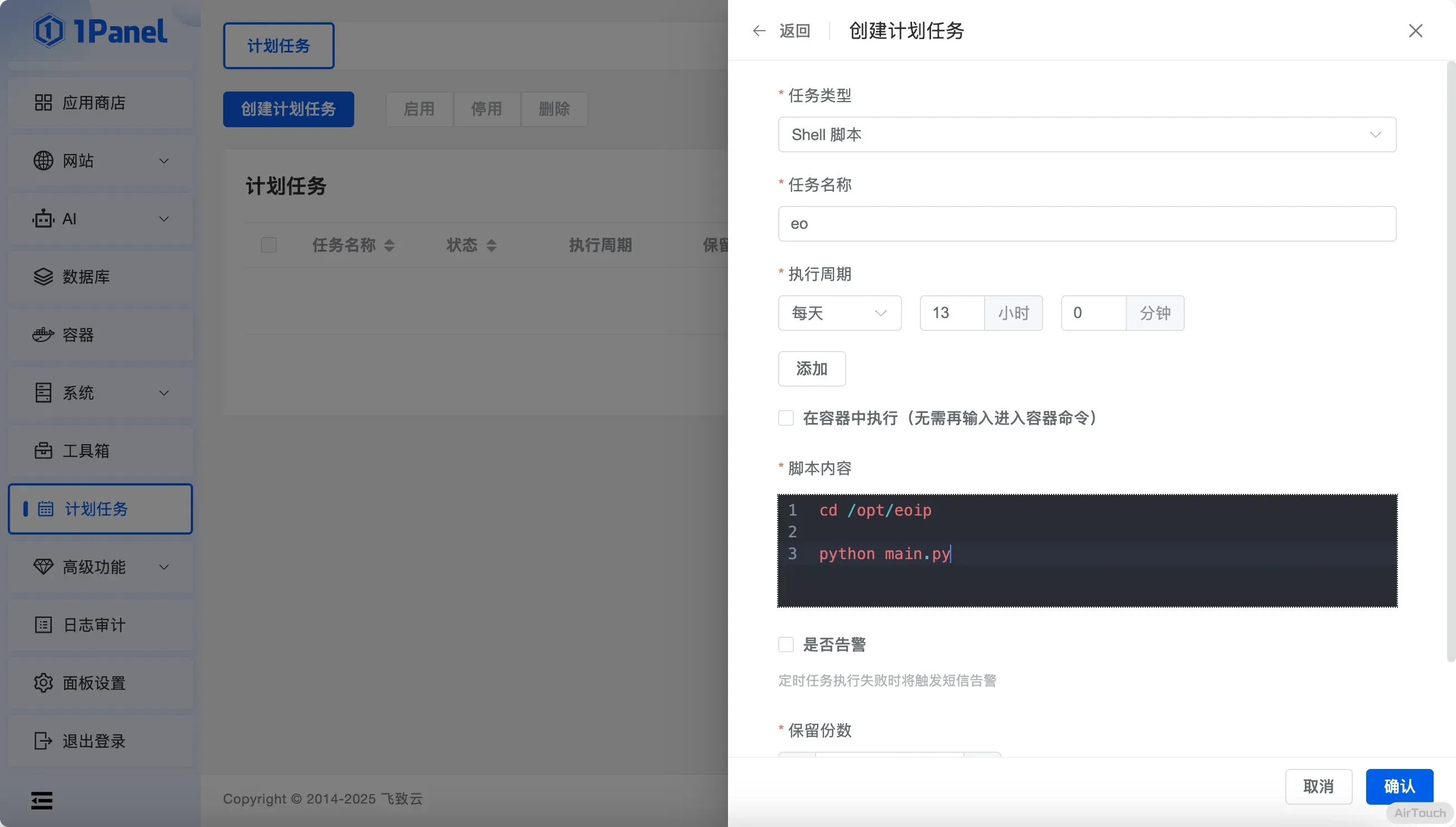
You can adjust the execution interval however you like.
Once that is done, the preferred EdgeOne domain setup is basically in place.