I came across a smart-home creator on Douyin who was changing the wake word on a Xiaoai speaker. I had been interested in smart-home tinkering for a while, so I watched a few of his videos, bought the parts, and tried it myself.
Why do so few smart speakers let you change the wake word? It is not a huge technical barrier. Custom wake words tend to raise false-trigger rates. For brands that ship millions of speakers, even a small increase can mean more support complaints. So for many companies, the safest choice is not to offer it.
The build cost me around 50 yuan. I bought two things: an ASR PRO voice module, for a little over 20 yuan, and a new Xiaomi wireless switch for about 30 yuan. Choose the module version with pin headers already soldered, or you will have to solder them yourself. You can also look for used parts secondhand, which can be cheaper.
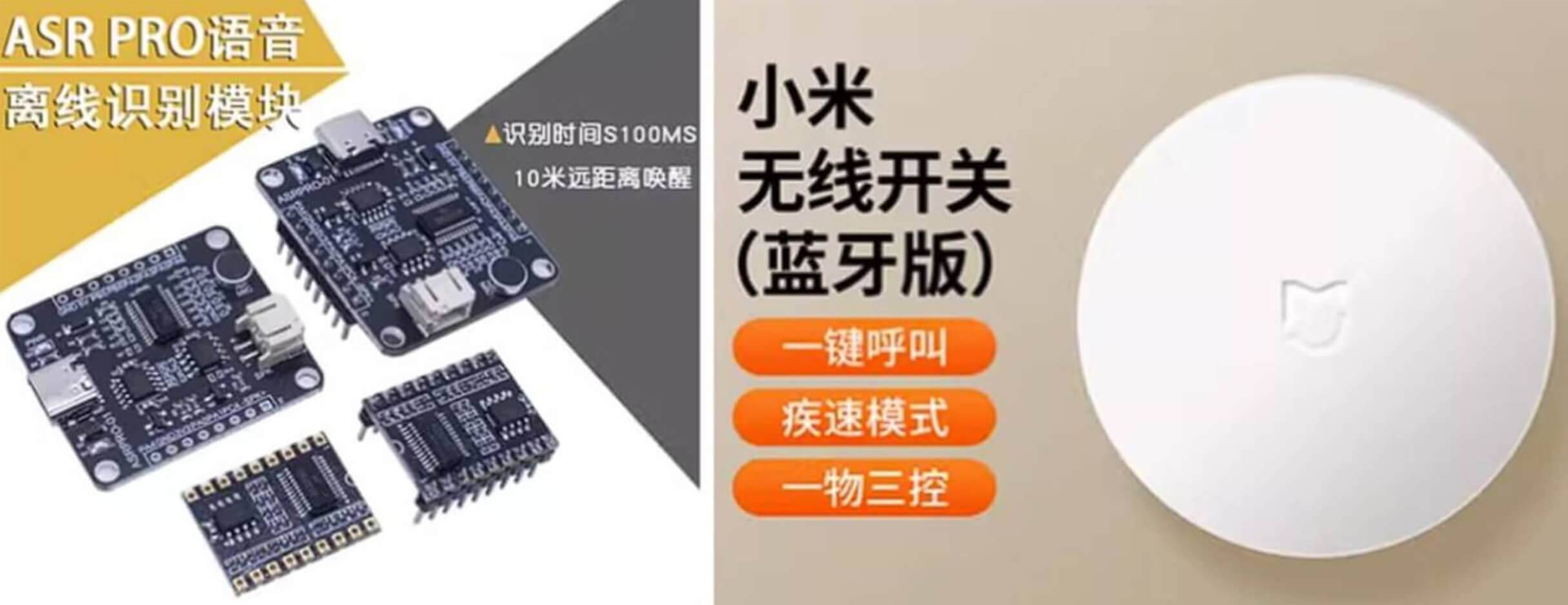
When the package arrived, I bound the Xiaomi wireless switch in the Mi Home app first, then pried it open. All I needed was its mainboard, plus three Dupont wires.
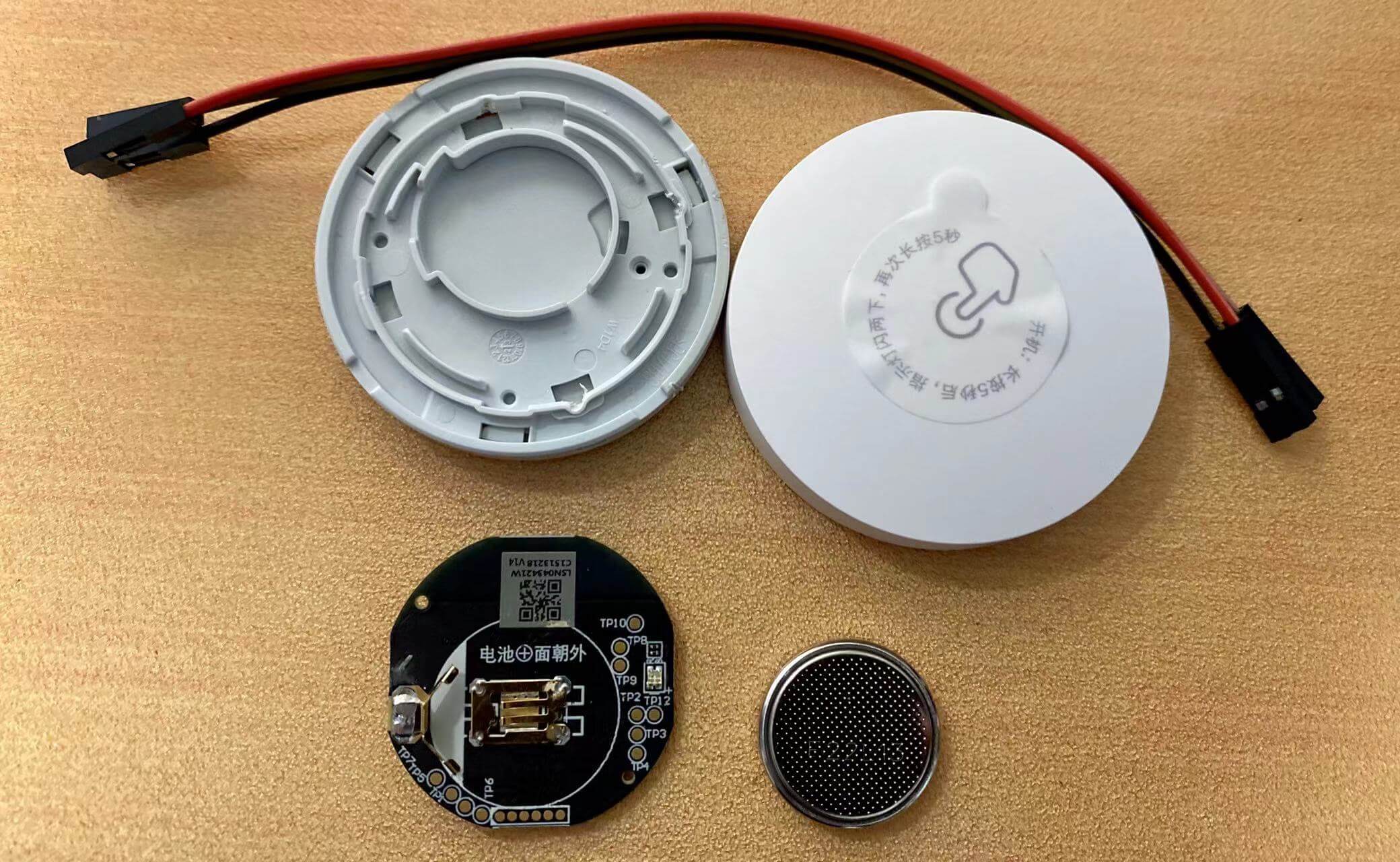
I cut one end off each Dupont wire and soldered the other ends to the mainboard. The first attempt used TP6, GND, and BAT+, but that did not work. Xiaomi has revised the switch over time, and board versions differ. Mine only exposed TP6 and BAT+, and I could not find a routing diagram online. I asked someone more experienced, and the working method was to solder to BAT+ (positive), BAT- (negative), and TP10.
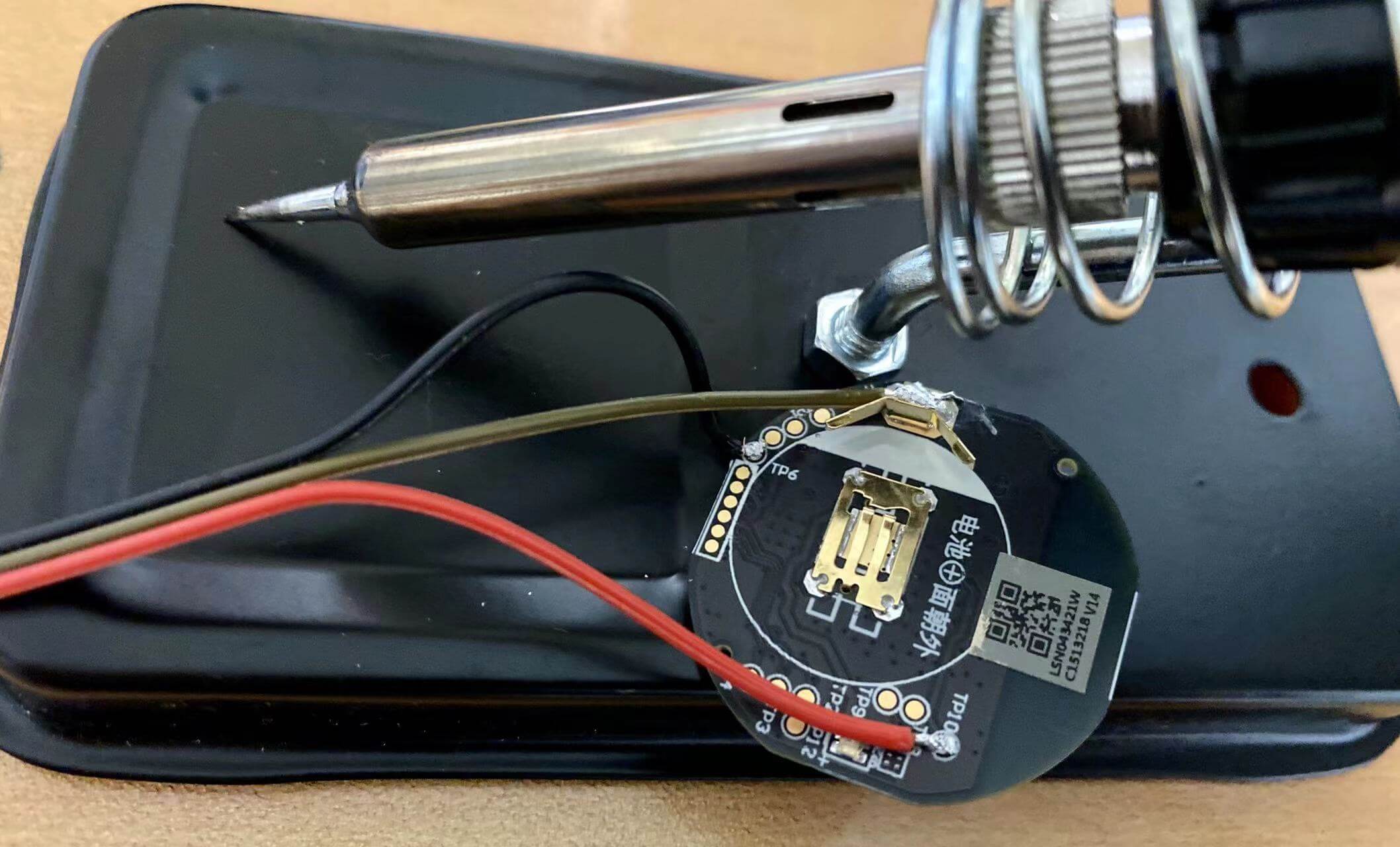
The photo above shows my first, incorrect soldering attempt. The final working contacts were BAT+ (positive), BAT- (negative), and TP10.
With the switch prepared, I moved on to the voice module. This part is simpler. I installed Tianwen BLOCK, which currently has a Windows-only version, and opened it.
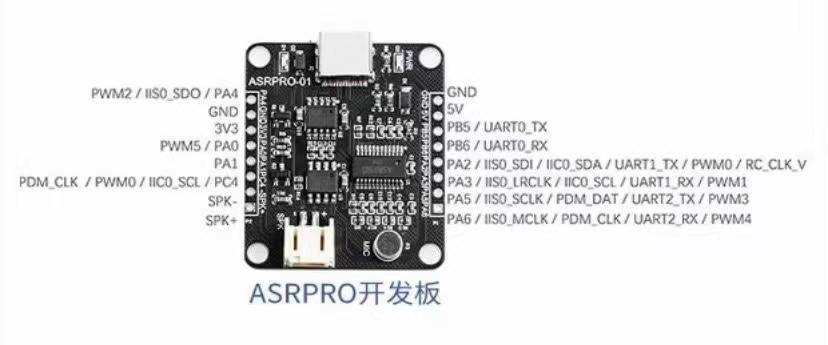
I connected the voice module to the computer with a data cable and set it up. PA_0 should idle at a high level and output a low pulse when the custom wake word is detected. I changed the wake word to the phrase I wanted and deleted the voice reply. Then I clicked Generate Model in the top-right corner, waited a minute or two, and clicked 2M Compile Download so the firmware was flashed to the module.
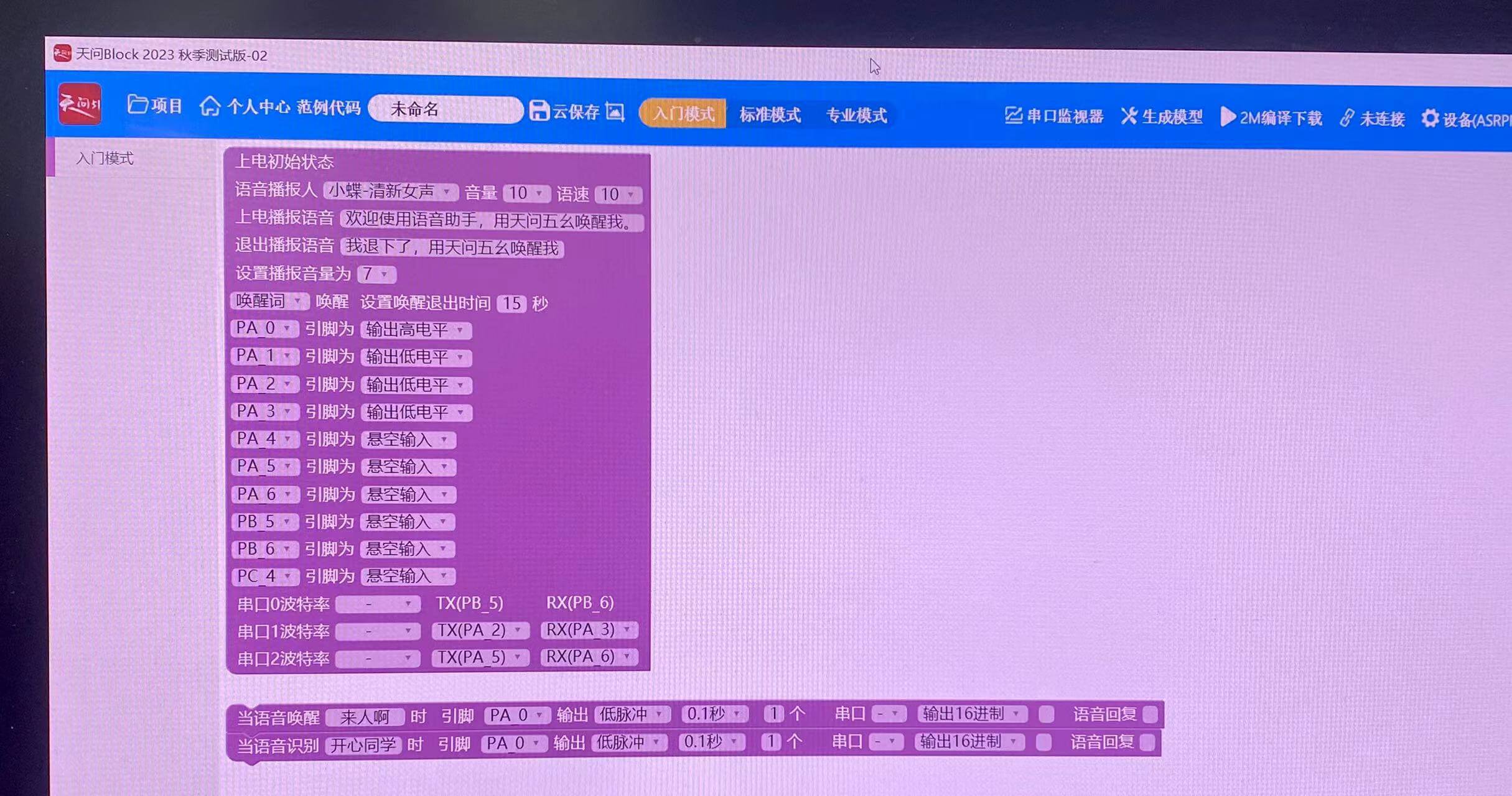
Then I wired the switch's Dupont lines to the voice module: positive to 3V3, negative to GND, and TP10 to PA0.
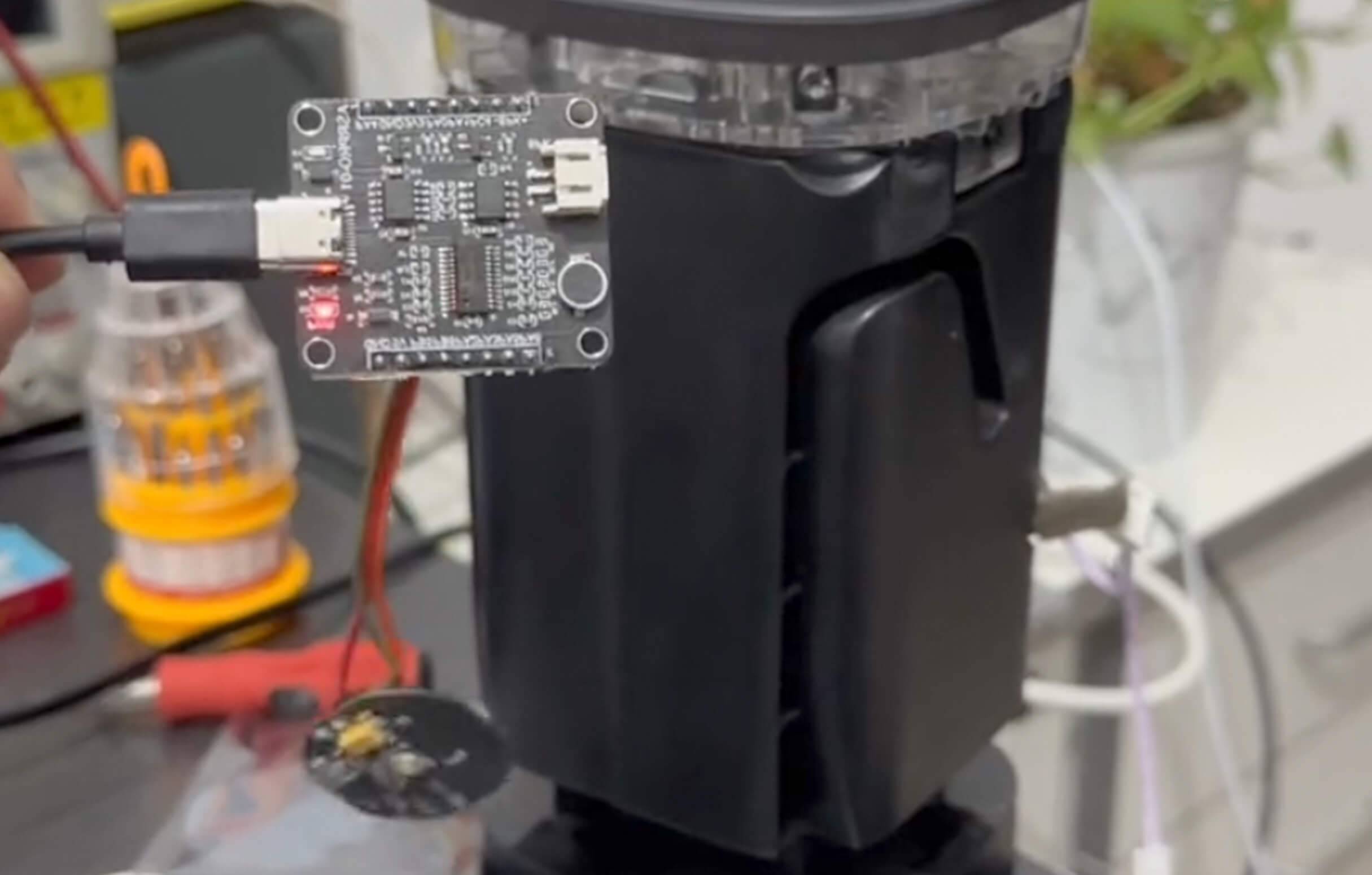
The last step was in the Mi Home app. I created an automation: the trigger is a single click on the wireless switch, and the action puts the speaker into wake state. You can also have it play a specified piece of text first and then wake the speaker, as I did.

Finally, I powered the voice module connected to the switch and said my custom wake word to the module. It worked.
The point is that we are not actually changing the wake word inside the Xiaoai speaker, either in software or on the hardware side. Instead, an offline voice module recognizes the new phrase and triggers a click event on the Xiaomi wireless switch. Mi Home takes that click and runs the automation that wakes the speaker.
The principle is simple, and the same module can be used for other experiments. I had not tinkered with this kind of thing for a while, but this time it ended without a disaster. I would be interested to hear if anyone has a better approach.