It was 01:55:35 on October 29, 2025. I should have been asleep, but what had just happened in the previous hour felt worth writing down right away. I’m not even sure whether this counts as complaining or just bitter amusement, but either way, it needed a record.
That was what I wrote in the middle of the night.
The short version: don’t mess with ROOT if you only have one phone.
Kicked offline at 1 a.m.
At 01:00 on October 29, 2025, I got sent a meme image and, being in a good mood, did what I usually do: forwarded it to a few group chats.
After sending it around a bit, QQ suddenly threw up a message saying my login session had expired.
The moment I saw that, I more or less knew what kind of problem this probably was. So I went through the usual routine: log in by SMS code, get redirected into the security flow, do facial verification...
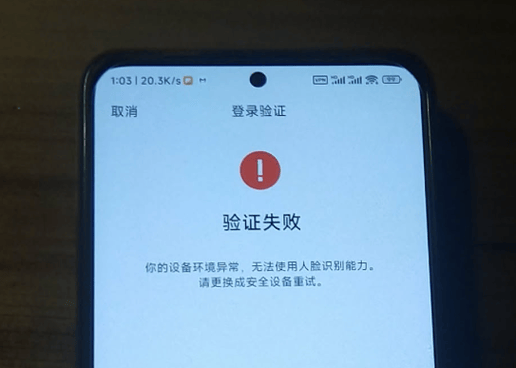
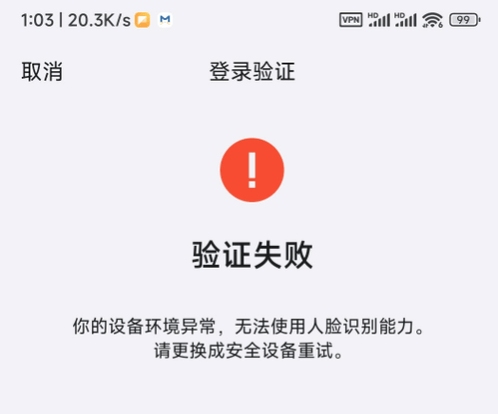
Except this time, no matter what I tried, QQ kept giving me the same cold response: the device environment was abnormal, so facial recognition could not be used.
First suspicion: did root hiding fail?
On this phone, the setup for hiding ROOT was Magisk with Shamiko and Zygisk Next. In theory, that should have been enough for most ordinary detection.
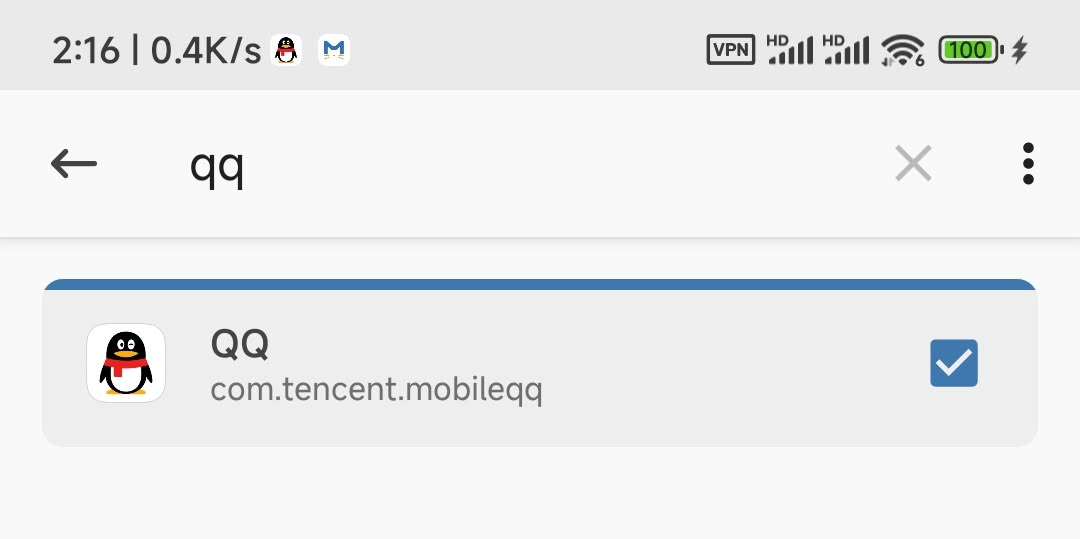
Since these tools still rely on Magisk’s denylist behavior, I checked the exclusion list first. QQ was sitting there exactly where it should have been, and the box was already checked. I also checked system permissions and had indeed blocked QQ from reading the app list.
At that point I started thinking about another possibility. This phone had previously run QA for a period of time, so I wondered whether the Android ID itself might have been flagged.
Then I tried resetting the Android ID
Following advice from someone more experienced, I installed Aiwanji Toolbox and found the option to reset the Android ID.
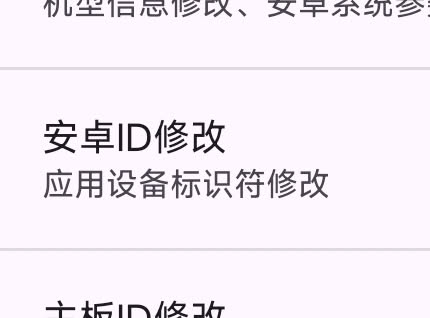
As you might expect, resetting the ID changed nothing. QQ still labeled the device as risky.
By then my confidence was basically gone. I figured there might be some local cache involved, so I opened Android settings and cleared all QQ cache and app data.
Because I had no backup, that also meant every chat record on the phone was gone.
I tried again afterward. Same result. Still blocked.
The old phone in the drawer saved the account
I had actually been meaning to write something about the old phone in my drawer. It used to belong to my mother. I had dug it out some time ago, charged it up, removed some junky ad-ridden apps, and planned to keep it around as a backup 2FA device.
I didn’t expect its first real emergency deployment to be rescuing my QQ account.
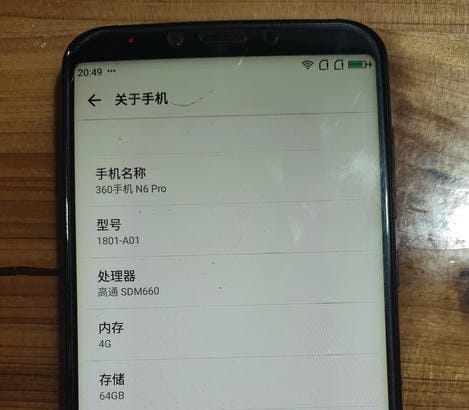
One small mercy: even the latest Android version of QQ only requires Android 6.0 or above, so this old Android 7.1.1 phone barely still qualifies.
And because this device came from an era when unlocking the bootloader and rooting Android phones had already become much more restricted, I never bothered to root it. Completely by accident, that made it the only trusted environment I had on hand.
I downloaded the latest QQ from the official site, logged in, entered the verification code, went through facial recognition, and after a fair amount of hassle, it finally worked. The face check passed and the account was successfully unfrozen.
What life with ROOT actually looks like now
The only reason I was able to recover the account so quickly was that I still had a second phone that wasn’t rooted.
That is the real meaning behind “don’t play with ROOT if you only have one phone.” The danger isn’t just soft-bricking your device or breaking something by accident. You also become dependent on whether app vendors and platform owners still feel like tolerating your setup.
My main phone is a Redmi K60. From the day I bought it, I paid someone 168 to get the bootloader situation handled and rooted it. Since then, the phone has lived what I can only describe as a crippled life.
It’s crippled in a contradictory way.
On one hand, a rooted phone can do a huge amount of useful stuff. Permissions that normally require awkward workarounds become easy to grant. Ad skipping, program hooks, direct file modification through adb plus su—all of that becomes straightforward. You can remove unwanted system clutter and customize things at a much deeper level. In practical day-to-day use, quality of life improves immediately.
On the other hand, in 2025, a rooted phone—or in many cases even just a phone with an unlocked bootloader—is treated like a suspicious object by manufacturers and app developers alike.
Before unlocking, there are already all kinds of barriers: OnePlus had its deep testing program, Xiaomi turned unlocking into something resembling an entrance exam, Huawei shut down official unlocking altogether, and so on. After unlocking and rooting, the restrictions only multiply: banking apps exit the moment they detect ROOT, DingTalk may complain about tampered location, and various “security” functions stop working entirely.
At the core of it, once you root a phone, it loses some or all of its value as a trusted device. That makes all kinds of ordinary tasks more difficult. And from the perspective of app vendors, if you can freely modify your device and patch their apps, it also becomes harder for them to sell cosmetic memberships, premium themes, and similar extras.
So the current reality is that Android’s old reputation for device freedom has, for the most part, faded away. ROOT still offers power, but it now comes bundled with a long list of constraints.
Yes, the community still has people who build countermeasures and bypasses for root detection. But for an ordinary user, keeping up with that arms race is unrealistic. It takes time, energy, and sustained interest. I have neither the expertise nor the patience to keep fighting every app forever. So when it comes time to buy a new phone, I’ll probably give up on ROOT entirely and leave that kind of tinkering to older spare devices.
That said, even without full root, some elevated-permission tools are still worth having. Utilities like Shizuku or Dhizuku can provide high-level permissions just below ROOT. Because the permissions they expose still have legitimate uses—DeviceOwner, for example, can be used for enterprise-managed devices—they haven’t drawn as much hostility yet. That also makes them useful for running practical tools such as GKD for skipping ads.
A side note: here is the method for disabling QQ’s flashy fonts.
- Enter
/data/user/0/com.tencent.mobileqq/files/files/vas_material_folder/ - Delete all files under
font_info/ - Execute
chmod a-w font_infoto disable write permission
“Self-hosted” communication still can’t replace mainstream chat
When my QQ account was frozen, I had no idea whether it would be possible to unfreeze it at all. I could still read messages and view profile information, but I couldn’t send anything.
For a moment I considered waking up the next morning, finding the QQ numbers of people I knew in the main groups, and emailing them to explain that my account was in trouble.
In the end that never became necessary, because the account was restored quickly. But the episode brought up a more uncomfortable question: you can absolutely prepare backup communication channels—but will they actually matter when the time comes?
The issue is not whether alternate tools are technically functional. Email works. Telegram works. Line works. Even some self-hosted messaging stack of your own—say, Element on top of Matrix—can deliver messages just fine.
The real problem is that chat software is not something you can sustain through personal enthusiasm alone.
You can self-host your own cloud storage. You can self-host your own photo gallery. Those are personal tools, and you alone decide how much inconvenience you’re willing to tolerate.
Messaging is different. Messaging involves other people.
When everyone around you is already using QQ or WeChat, your self-hosted instant messenger is hard to push into everyday use, because you are asking other people to change their habits. For ordinary communication, most people strongly prefer fixed, familiar apps. Unless there is a special need—an emergency contact path, cross-border chatting, or sending things people would rather not put into mainstream channels—they simply will not bother.
And even if you do manage to gather people into some niche group chat, another problem shows up immediately: push notifications.
Most Android phones sold in China effectively maintain push whitelists. Apps like QQ, WeChat, and DingTalk are obviously on them, so their notifications arrive reliably. But what about everything else? Especially obscure open-source tools marketed around anonymity, privacy, end-to-end encryption, and secrecy? Those apps generally have no chance in that environment.
No clean solution, just a warning
There isn’t really a neat ending here.
Even the broader problem above is easier to describe than to solve. I don’t have a particularly good answer.
As for the current K60, the performance is still good enough that it could probably remain my main phone for another two or three years. So this awkward struggle may continue for a while. At least now I know the old phone can still run facial verification and can still be used to keep things barely afloat.
But after that? Hard to say.