Getting started
I had been using IDM for downloads for quite a while, and it really is absurdly capable. It can grab all kinds of video sources with very little effort. But while reading through other tech blogs, I kept seeing Aria2 mentioned whenever Docker setups came up, so I decided to try it for myself.
Aria2 has a strong reputation as a download tool, especially because it supports BT, magnet links, and similar resource types. A lot of those downloads are still where you find higher-quality files. Years ago, Thunder was a big help when downloading torrents, but these days it is not quite the same for various reasons. Open-source download tools have become a much more appealing option.
After installing and testing it, the actual download performance was quite good. There are already plenty of tutorials online, including setups that combine it with other services for automation. Here I will keep it simple and just walk through the basic Docker deployment process.
Deploying Aria2
First, pull the Aria2 image:
docker pull p3terx/aria2-pro
Then start the container:
docker run -d \
--name aria2 \
--restart unless-stopped \
--log-opt max-size=1m \
-e PUID=$UID \
-e PGID=$GID \
-e UMASK_SET=022 \
-e RPC_SECRET=prc_password \
-e RPC_PORT=6800 \
-e LISTEN_PORT=6888 \
-p 16800:6800 \
-p 16888:6888 \
-p 16888:6888/udp \
-v /home/aria2/config:/config \
-v /home/Aria2:/downloads \
p3terx/aria2-pro
A few parts of this can be adjusted to fit your own environment:
- The exposed ports can be changed if needed.
- The directory mapped before
/configcan be customized. After creating it, you can manually point Docker to that path. This folder stores the configuration files. - The directory mapped before
/downloadscan also be changed. Create it first, then assign it manually. This is the actual download path, so it can be a normal server directory or a NAS location. If needed, just connect over SSH and create or verify the path there.
Adding AriaNg as the web interface
AriaNg is a visual frontend built for Aria2, and it makes management much more convenient.
Pull the AriaNg image:
docker pull p3terx/ariang
Start the container:
docker run -d \
--name ariang \
--log-opt max-size=1m \
--restart unless-stopped \
-p 16880:6880 \
p3terx/ariang
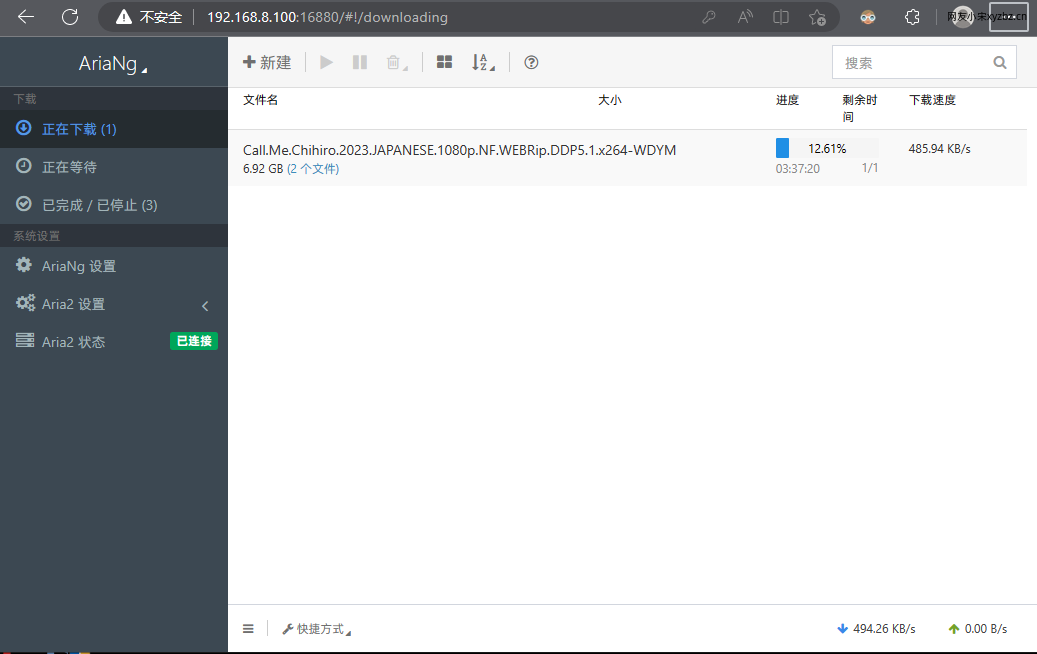
If the container starts without errors, you should be able to open the AriaNg page at IP:16880.
If you are using a cloud server, make sure the relevant ports are allowed in your server firewall or management panel. If you want to access it through a domain name, you can place it behind a reverse proxy.
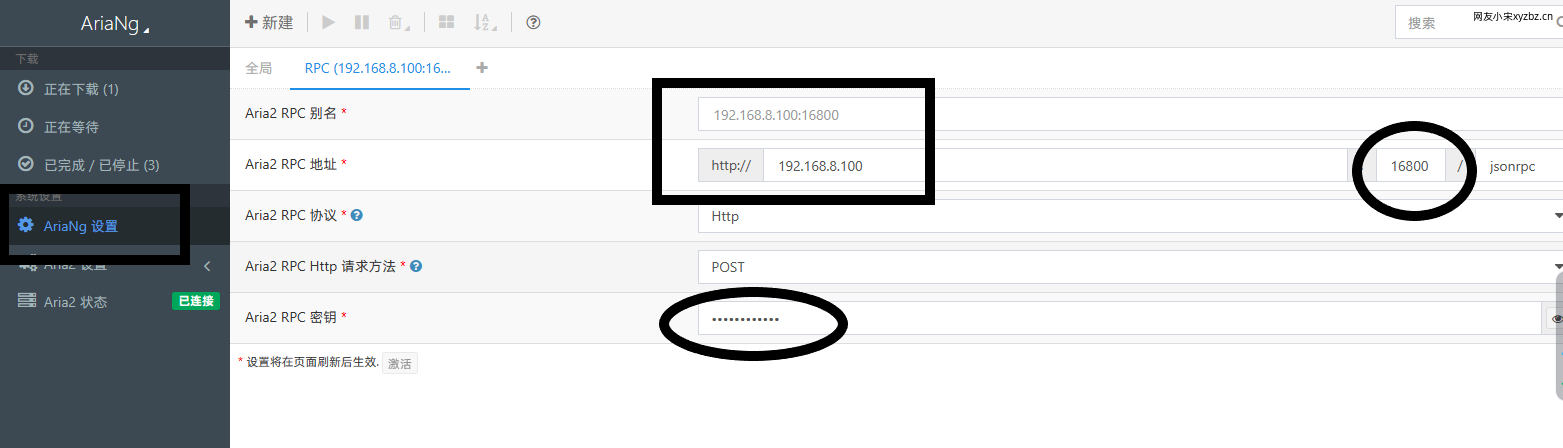
Once the page loads normally, go into the settings on first access and fill in the values based on your Aria2 configuration. Some fields need to be entered manually, so just match them to the settings you used when launching the Aria2 container.
How it feels in actual use
After finishing the configuration, I tested it by downloading a few movies through magnet links. The speed was basically able to max out what I had available. My own connection is only around 4G bandwidth, so that is fairly average, but the content downloaded directly into my disk array without any extra hassle.
There is clearly more to explore with this setup, especially if you want to build out more advanced workflows later. Even as a basic deployment, though, it is already practical enough to use daily. Add what you want to download before heading to work, and by the time you are back, it is ready to watch. Paired with a suitable media player, it works quite nicely as a lightweight personal download and media solution.