On Debian 12, installing the latest MySQL 8 through a mirror can be more convenient than using the default repository setup. The process mainly involves adding the mirror source, importing the GPG key, removing conflicting MariaDB packages, and then adjusting a few MySQL settings after installation.
Installation
Add the MySQL APT source from the mirror, install GnuPG, import the signing key, clean out MariaDB-related packages, and then install MySQL:
<table> <thead> <tr> <th>1 2 3 4 5 6 7 8</th>
<th>echo deb https://mirrors.tuna.tsinghua.edu.cn/mysql/apt/debian bookworm mysql-8.0 mysql-tools > /etc/apt/sources.list.d/mysql-community.list # 添加清华镜像源 apt install -y gnupg # 安装gpg apt-key adv --keyserver pgp.mit.edu --recv-keys A8D3785C # 导入gpg密钥 # apt-key adv --keyserver keyserver.ubuntu.com --recv-keys A8D3785C # 上一条命令导入失败则选择此命令 apt-key export A8D3785C | sudo gpg --dearmour -o /etc/apt/trusted.gpg.d/mysql.gpg # 导出密钥,避免更新警告 sudo apt remove --purge mariadb-client-core mariadb-server-core libmariadb3 mariadb-common # 卸载MariaDB apt auto-remove # 自动卸载无用依赖 apt update && apt install mysql-community-server # 安装MySQL</th>
</tr>
</thead>
<tbody>
<tr>
<td></td>
<td></td>
</tr>
</tbody>
</table>
During setup, you will be prompted to create a password for the MySQL root account:

You will then need to enter it again for confirmation:

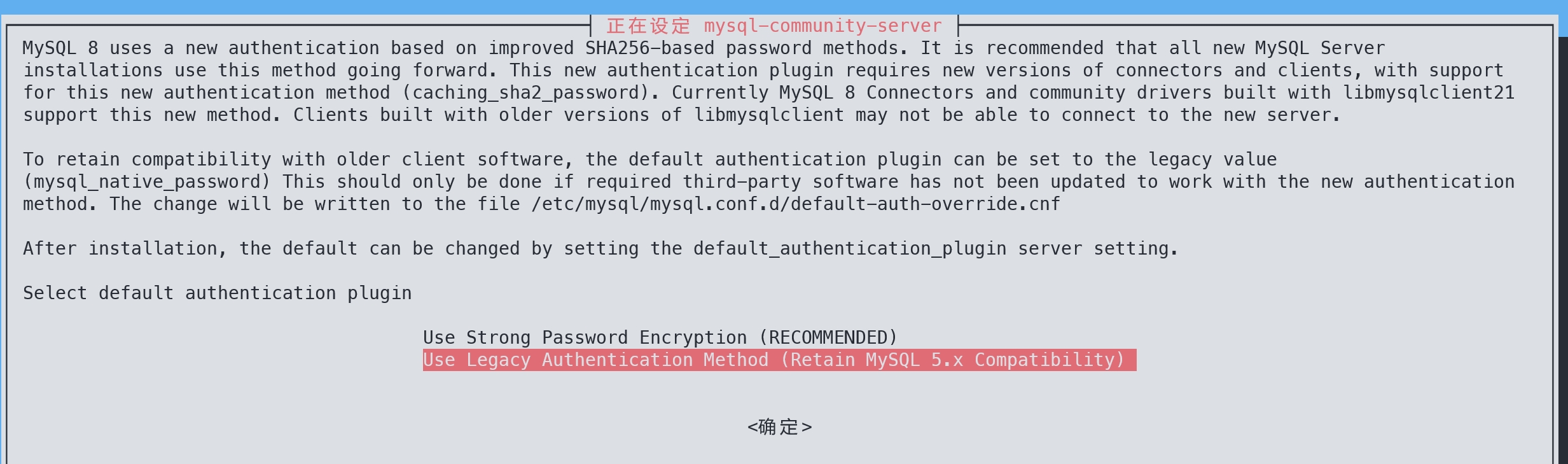
Next, the installer asks which authentication plugin to use. For easier client connections, the second option is generally the more practical choice:
In MySQL 8.0 and later, the root account uses the auth_socket plugin by default. That behavior has several consequences:
rootcan log in only locally through127.0.0.1; remote machines cannot use therootaccount.- Logging in as MySQL
rootrequires using the operating system'srootaccount. Users who cannot elevate withsudoare blocked. - No password is required. Even if a password is manually assigned to
root, it will not be checked during login.
If you choose the second authentication option during installation, MySQL writes the following setting into /etc/mysql/mysql.conf.d/default-auth-override.cnf:
default-authentication-plugin = mysql_native_password
If that line is commented out later, newly created users will go back to using auth_socket by default. To inspect which authentication plugin each account is using, run:
SELECT user,host,plugin FROM mysql.user;
To change an account's authentication plugin manually, you can use a statement like this:
ALTER USER 'root'@'%' IDENTIFIED WITH caching_sha2_password BY '新密码';
Basic configuration
Edit /etc/mysql/mysql.conf.d/mysqld.cnf with the following commands:
1 2 3 4 5 6</th>
<th>cat >> /etc/mysql/mysql.conf.d/mysqld.cnf << EOF bind-address = 0.0.0.0 port = 3306 skip-ssl EOF systemctl restart mysql</th>
</tr>
</thead>
<tbody>
<tr>
<td></td>
<td></td>
</tr>
</tbody>
</table>
These options are meant to make the server behavior explicit:
bind-address = 0.0.0.0port = 3306
Although MySQL already listens on 0.0.0.0:3306 by default, keeping these lines in the configuration makes the intended network behavior clear and easier to adjust later.
The skip-ssl option disables SSL. Without disabling it, the MySQL client may fail certificate verification because the server uses a self-signed certificate by default. In that case, connections only work if the client is started with --ssl-mode=DISABLED each time.
To check whether SSL is enabled, run:
SHOW VARIABLES LIKE 'ssl';
If have_ssl shows DISABLED, then SSL is off.
Connecting to MySQL
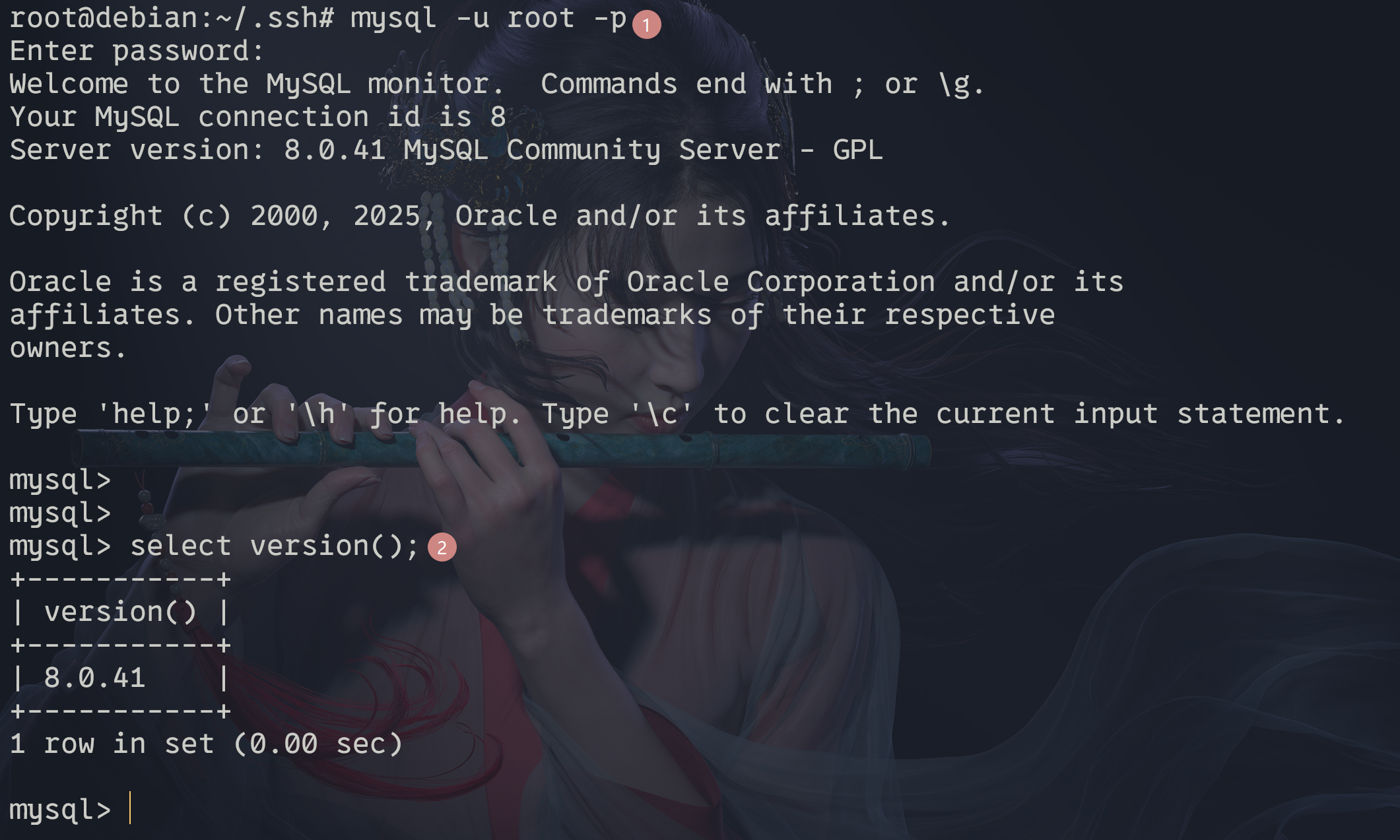
After the service restarts, connect and verify the version:
<table> <thead> <tr> <th>1 2</th>
<th>mysql -u root -p select version();</th>
</tr>
</thead>
<tbody>
<tr>
<td></td>
<td></td>
</tr>
</tbody>
</table>
Allowing root to connect from any host
If you need the root account to be reachable from any host, update its host field in the MySQL system table:
1 2</th>
<th>UPDATE mysql.user SET host='%' WHERE user='root'; -- 修改root用户的主机访问权限为允许从任何主机连接 select user,host from mysql.user; # 查看所有用户的主机访问权限</th>
</tr>
</thead>
<tbody>
<tr>
<td></td>
<td></td>
</tr>
</tbody>
</table>
This changes root so it is no longer limited to local access, and the second query lets you verify the host permissions for all users.