With Black Myth: Wukong getting close to release, a lot of people around me have suddenly developed PC performance anxiety. I was no exception. My old touchscreen ultrabook had been with me for almost four years, and between the limited memory and the fact that thin-and-light laptops are not exactly made for demanding games, it was clearly starting to feel inadequate.
It had also been acting up for a while. Every now and then it would blue screen right after booting. I took it to an official store for repair, but all they did was reinstall the C drive. It worked for a few months, then the same problem came back. After reading about similar cases online, I started suspecting some kind of loose internal connection. In the end, giving it a few pats somehow “fixed” it...
So during the 618 shopping festival, with some money saved up from a few months of internship work, I decided to put together a proper desktop.
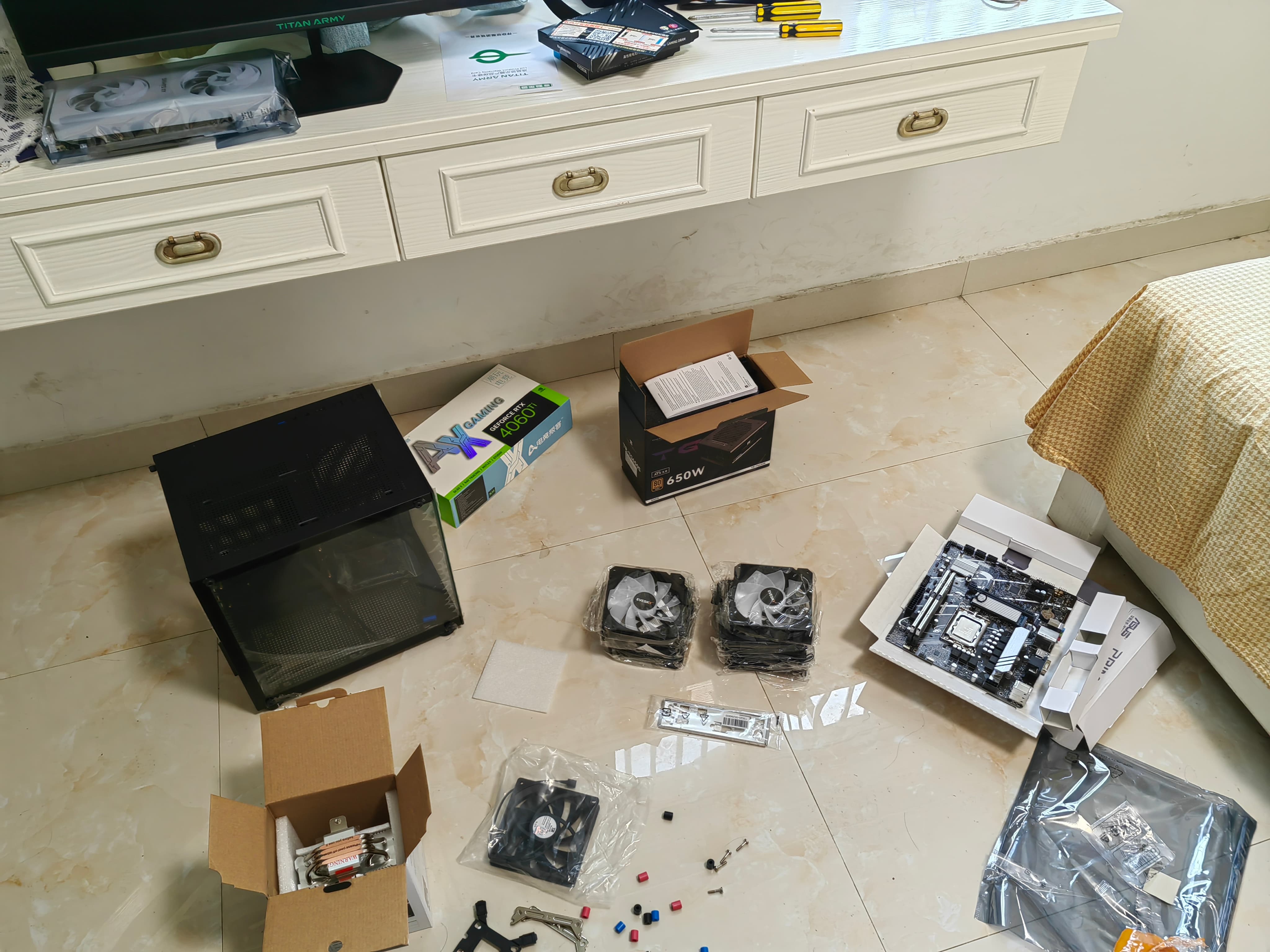
I spent about half a month watching build videos and tutorials, and slowly got a rough idea of the eight major components in a desktop build: how the parts mount onto the motherboard, how the power supply connects to the board, how the case connects to the motherboard, and how everything comes together to complete the circuit.
The two most important parts, and also the most expensive ones, were naturally the CPU and the graphics card. After that came the parts that matter a lot for gaming: memory speed and storage capacity. Once those four were more or less decided, the cooling, power supply, case, and fans could be matched around them. Of course, the easier route would have been to copy one of those ready-made build lists from hardware creators, sorted by budget.
In the end, I considered the recent 618 price drop on the i5-12600KF and paired it with a B760 Terminator D4 motherboard, which seemed to be a commonly recommended match. Looking back, I probably should have bought the version with Wi-Fi. Without it, there is no Bluetooth or WLAN built in. If you already have Ethernet at home or plan to use a separate network card, then the non-Wi-Fi version is fine.
For the graphics card, I originally wanted to go with a 3060 Ti. But a friend reminded me that with 30-series cards, there is always the risk of getting an ex-mining card. Because of the earlier AI and crypto mining waves, plenty of newly released 30-series cards were bought for mining, used heavily, and then resold. So I finally chose a 4060 Ti instead.
Only after finishing the build did I learn that both the 4060 and 4060 Ti are often mocked as “IQ test cards.” After Nvidia released the 40-series in 2023, many people felt the performance had been cut down while the price was still too high, making them poor value. There really are traps everywhere. But since it was already installed, I didn’t want to think too much about it. I’ll just use it for a few decades and maybe switch to a 50-series card when I have the time, energy, and money. If buying now, people seem to generally recommend waiting for a sale and getting a 4070.
For cooling, I went with air cooling. The memory is KingBank 3600MHz 16GB x2 Silver Baron D. I only realized when installing the drive that storage comes in several types: M.2, SATA, and PCIe solid-state drives, plus mechanical hard drives. The cooler and the 650W power supply are both regular Thermalright choices. As for wattage, that depends on the total power consumption of all the selected parts. The case is a mid-sized one and can fit seven fans. After that, I just needed to pick a monitor and the build list was basically complete.
Then came the actual assembly. I followed online videos step by step, watching while building, and spent most of the day putting everything together.
The awkward part came after that: I turned on the power supply, pressed the case power button, and nothing lit up. I unplugged and reconnected some of the cables, tried again, and still nothing. Later my dad came over and said he would take a look. He casually pressed the case power button. I was about to say it wouldn’t work because the power supply wasn’t turned on—then the whole machine lit up and started running...
At that moment, ten thousand thoughts were stampeding through my head.
Wasn’t “O” supposed to mean on, and “—” supposed to mean off? I even wondered whether I had installed the power supply incorrectly, but the mounting position is fixed, so that didn’t make sense. After searching online, I finally realized: O is off, and — is on. I had wasted so much time for nothing.
Still, the final result was good. As long as it booted, that was enough. I had almost given up and considered paying 200 yuan for someone to come over and assemble it.
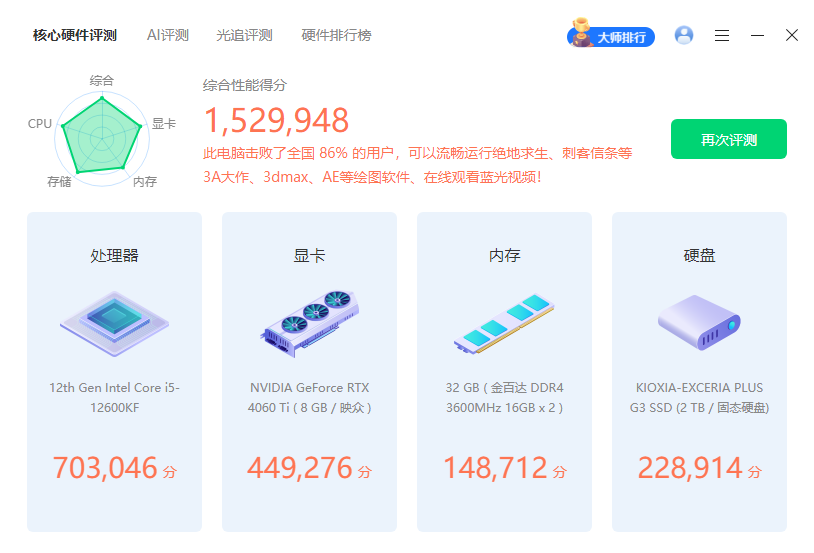
The benchmark score looks decent.
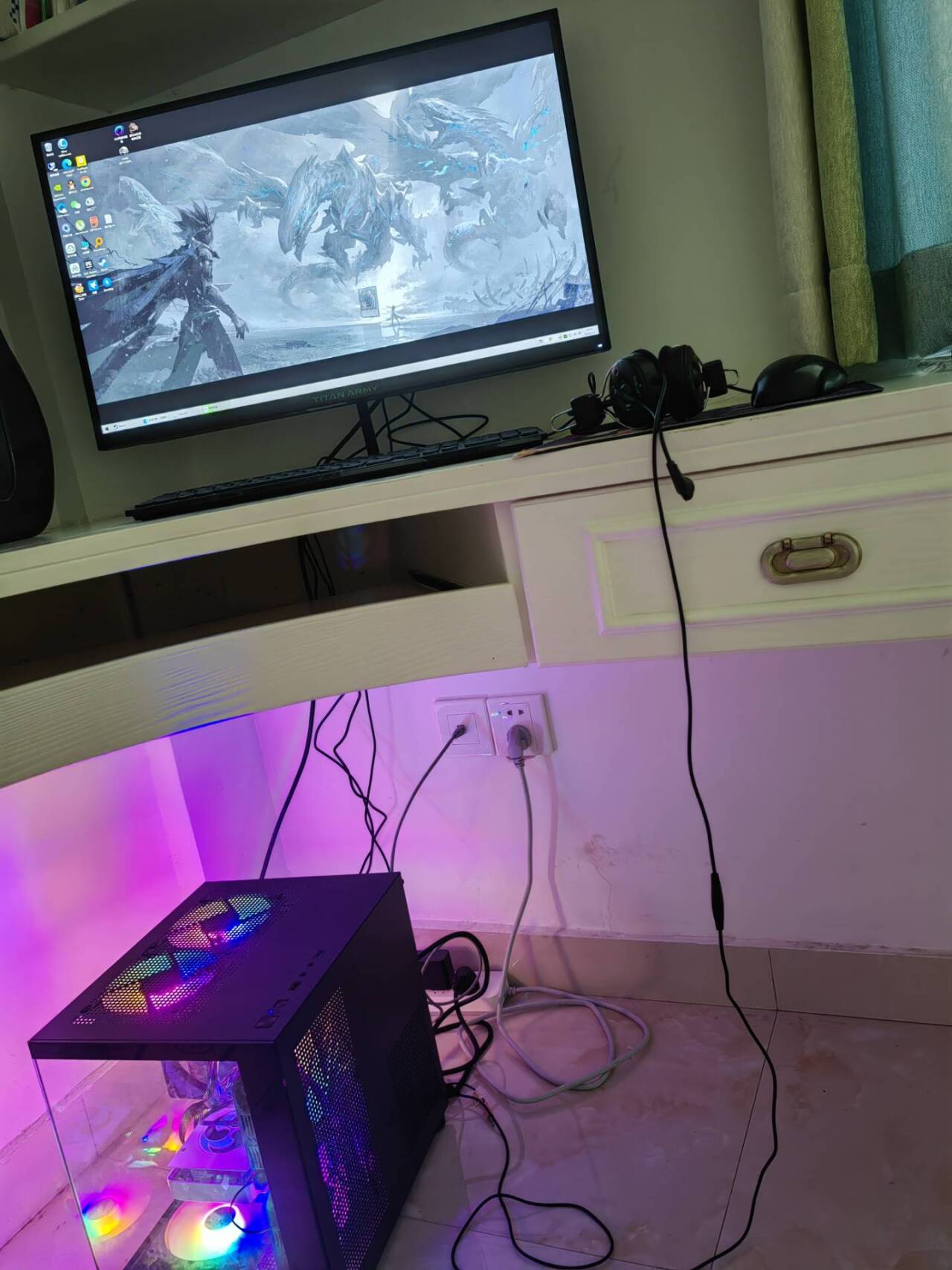
That’s it. Time to play.