If the only thing you need is faster image delivery for a WordPress blog, Qiniu’s mirror storage can do the job without adding a plugin. The setup points a Qiniu bucket at the existing site, then rewrites asset URLs in WordPress so front-end requests go to the CDN domain instead of the origin.
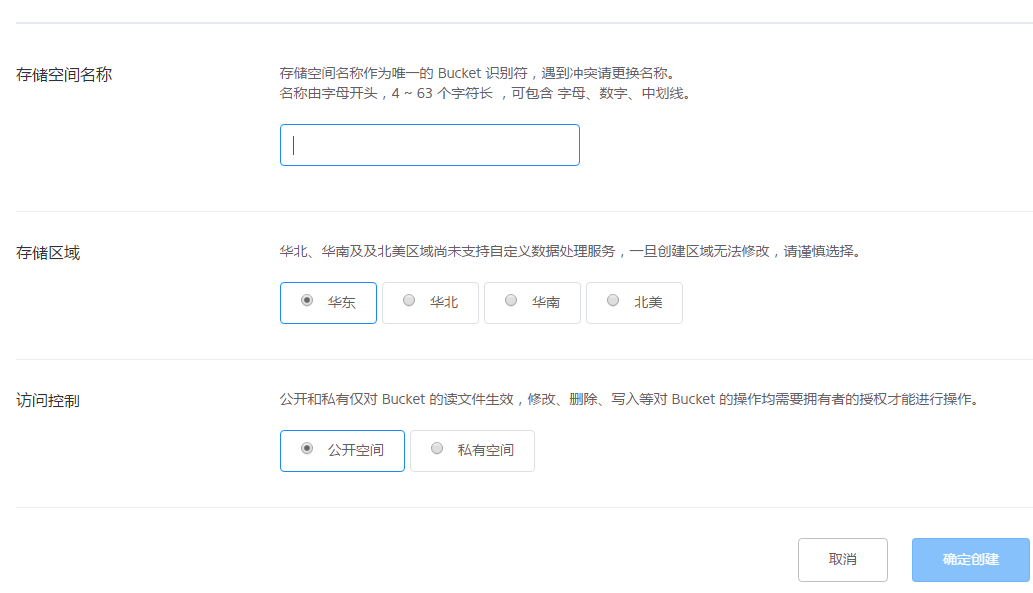
1. Create a public bucket in Qiniu
Start with a public space (bucket) in Qiniu. Public access is required because the images will be requested directly by browsers.
2. Configure mirror storage
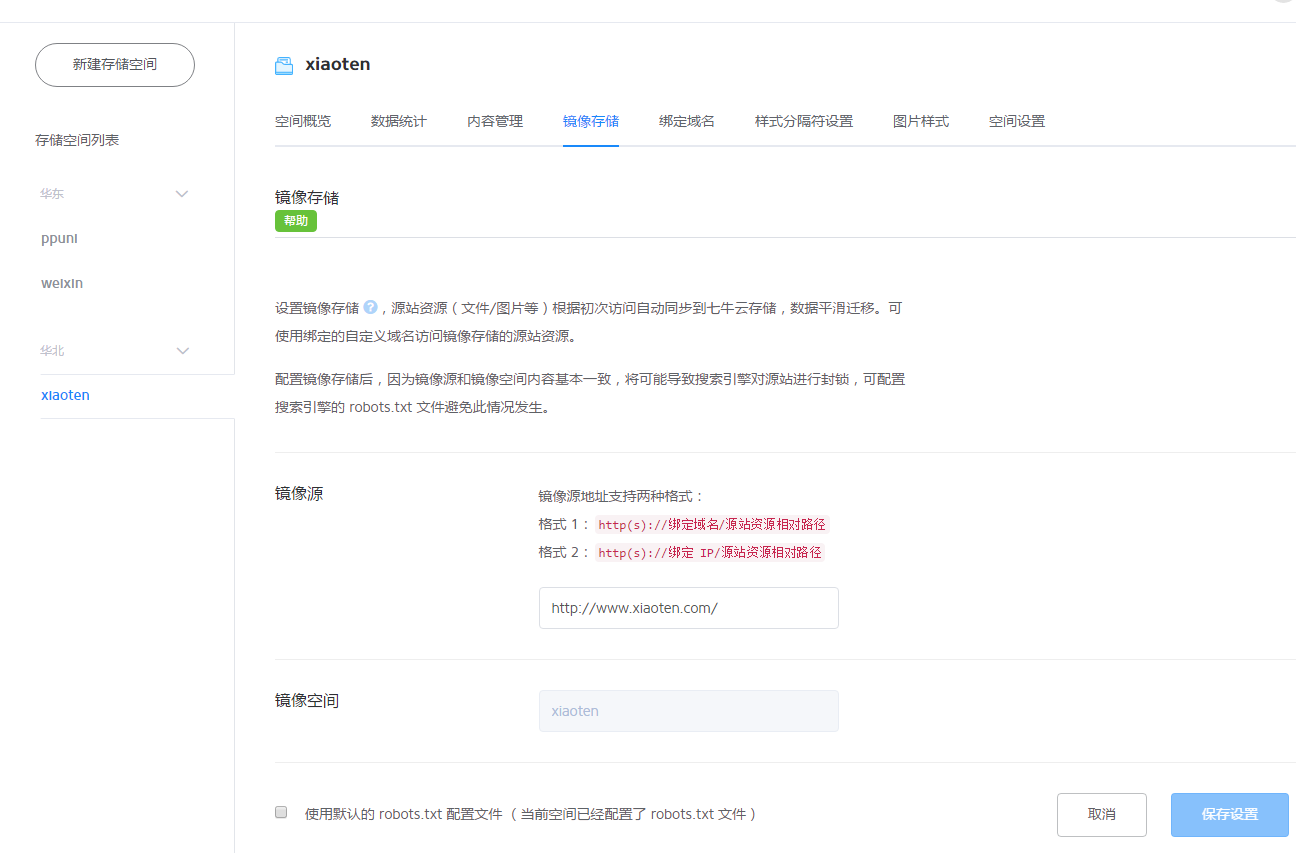
Once the bucket exists, open its Mirror Storage page.
Under Domain Settings you will see the bucket’s default domain. You can also bind your own domain, though that goes beyond this walkthrough.
Under Mirror Storage, click the one-click website acceleration button. In the dialog that appears, enter your blog address as the mirror source and confirm.
3. Add the WordPress code
In the theme’s functions.php file, add the following code to perform the replacement:
if ( !is_admin() ) {
    add_action('wp_loaded','xiaoten_ob_start');

    function xiaoten_ob_start() {
        ob_start('xiaoten_qiniu_cdn_replace');
    }

    function xiaoten_qiniu_cdn_replace($html) {
        $local_host = 'https://www.xiaoten.com'; // Blog domain
        $qiniu_host = 'https://cdn.xiaoten.com'; // Qiniu domain
        $cdn_exts   = 'js|css|png|jpg|jpeg|gif|ico'; // Extensions (separated by |)
        $cdn_dirs   = 'wp-content|wp-includes'; // Directories (separated by |)

        $cdn_dirs   = str_replace('-', '\u005c-', $cdn_dirs);

        if ($cdn_dirs) {
            $regex  =  '/' . str_replace('/', '\u005c/', $local_host) . '\u005c/((' . $cdn_dirs . ')\u005c/[^\u005cs\u005c?\u005c\u005c\u005c'\u005c\u0022\u005c;\u005c>\u005c<]{1,}.(' . $cdn_exts . '))([\u005c\u0022\u005c\u005c\u005c'\u005cs\u005c?]{1})/';
            $html =  preg_replace($regex, $qiniu_host . '/$1$4', $html);
    } else {
            $regex  = '/' . str_replace('/', '\u005c/', $local_host) . '\u005c/([^\u005cs\u005c?\u005c\u005c\u005c'\u005c\u0022\u005c;\u005c>\u005c<]{1,}.(' . $cdn_exts . '))([\u005c\u0022\u005c\u005c\u005c'\u005cs\u005c?]{1})/';
            $html =  preg_replace($regex, $qiniu_host . '/$1$3', $html);
        }
        return $html;
    }
}
With those three steps, the basic image acceleration setup is in place. If you also need to accelerate remote images or refresh caches, install the Qiniu Mirror Storage WordPress plugin instead of maintaining the snippet by hand.