"I have 57 Claude Skills, and they save me hours of work every day."
— A heavy Claude Code user, January 2026
That number is more than a collection of prompts. It points to a new way of working with AI: not as a chatbot you keep re-explaining things to, but as a team of specialized agents.
While many people still use Claude as a smart conversational assistant, early power users are already turning it into a modular system of domain experts. Each agent focuses on a narrow job. They can be combined, reused, and refined over time.
This is what it looks like to move from simply talking to AI to directing it.
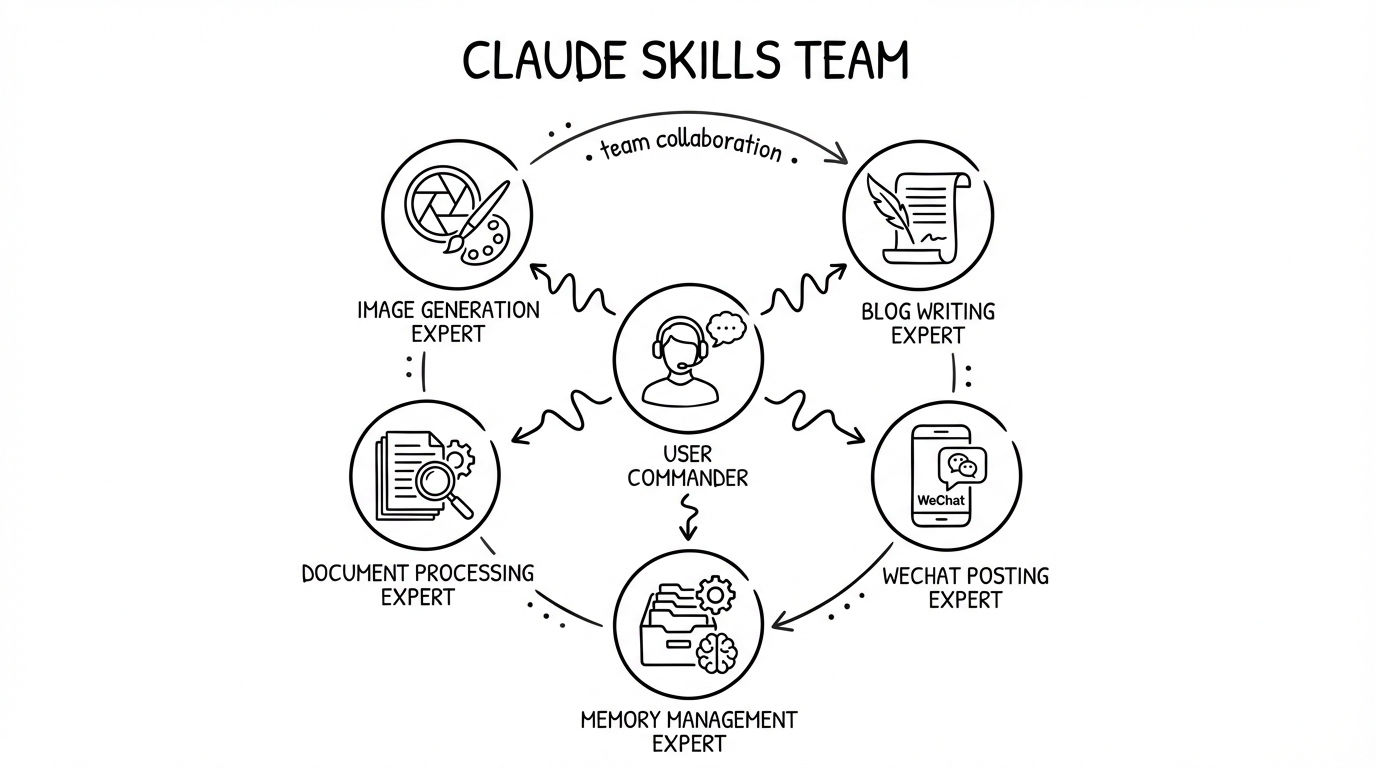
Claude Skills, through the lens of Unix
Unix became powerful through a simple idea: do one thing and do it well.
grepsearchessededitsfindlocates
Each tool is small, focused, and composable. Chained together, they handle surprisingly complex work.
Claude Skills bring that same philosophy into the AI era.
What a Skill actually is
A Claude Skill is a modular, self-contained capability package that turns Claude from a general assistant into a specialist agent.
Its value shows up at three levels:
- Specialization: each Skill acts like an expert in a specific domain
- Composability: multiple Skills can work together as a workflow
- Evolution: a Skill improves with use, because process and knowledge accumulate
Why this is different from a prompt
<table> <thead> <tr> <th>Dimension</th> <th>Traditional Prompt</th> <th>Claude Skills</th> </tr> </thead> <tbody> <tr> <td>Portability</td> <td>❌ Copy and paste every time</td> <td>✅ Invoke across projects with one command</td> </tr> <tr> <td>Context</td> <td>❌ Re-explain from scratch</td> <td>✅ Persistent domain context</td> </tr> <tr> <td>Complexity</td> <td>⚠️ Limited by token budget</td> <td>✅ Extended with scripts + references</td> </tr> <tr> <td>Team collaboration</td> <td>❌ Private to one person</td> <td>✅ Shareable as a team knowledge base</td> </tr> </tbody> </table>The real shift is not convenience. It is that Claude stops being a one-off conversation partner and starts becoming a system that can retain working patterns.
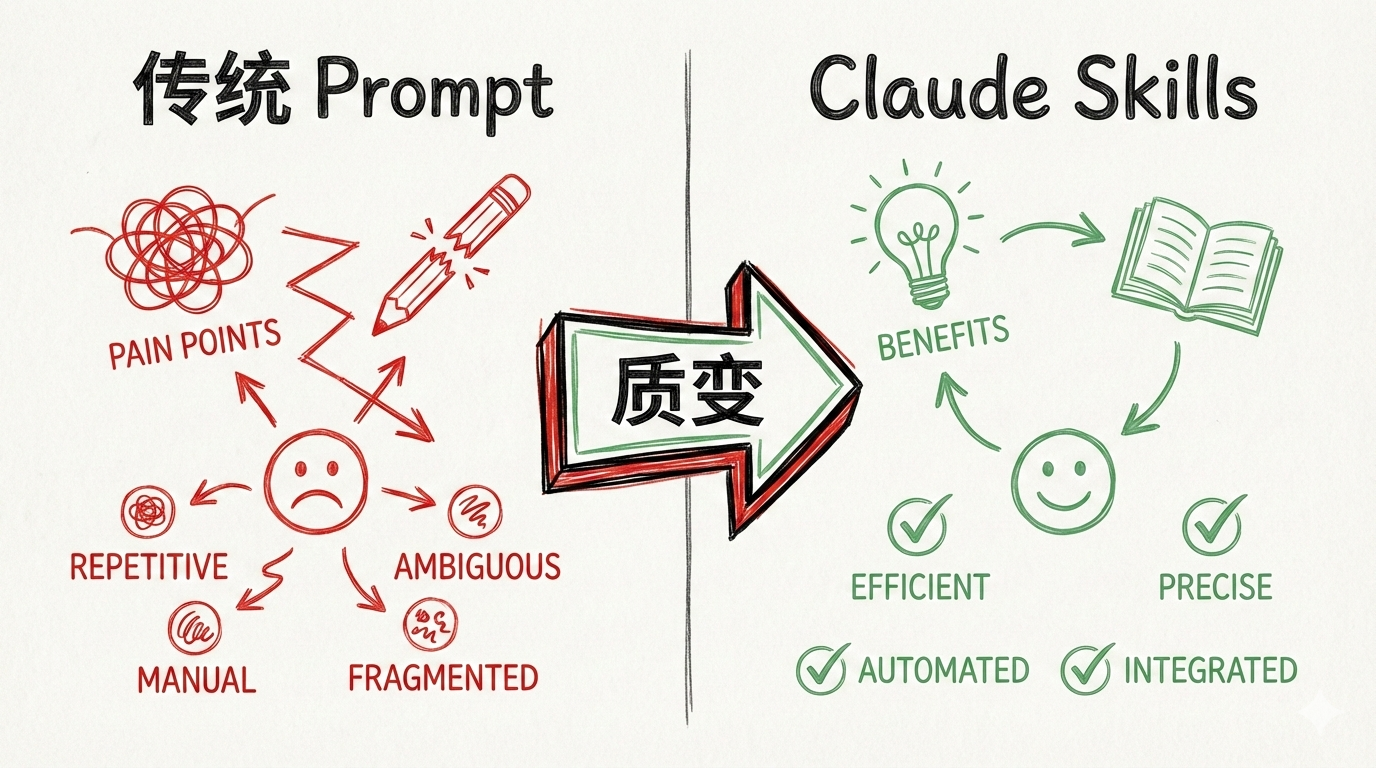
A concrete example: from 10 minutes to 30 seconds
Task: publish a Markdown article to a WeChat Official Account.
Traditional way (10+ minutes):
<table> <thead> <tr> <th>1 2 3 4 5</th>
<th>我:"请帮我打开 Chrome,导航到公众号后台..." 我:"上传这些图片..." 我:"把 Markdown 转换为微信格式..." 我:"调整格式..." ...(来回对话)</th>
</tr>
</thead>
<tbody>
<tr>
<td></td>
<td></td>
</tr>
</tbody>
</table>
With a Skill (30 seconds):
<table> <thead> <tr> <th>1 2</th>
<th>Skill: baoyu-post-to-wechat args: --markdown article.md --images ./imgs/</th>
</tr>
</thead>
<tbody>
<tr>
<td></td>
<td></td>
</tr>
</tbody>
</table>
The key difference is not just speed. It is a different interaction model altogether.
The three-part architecture behind a Skill
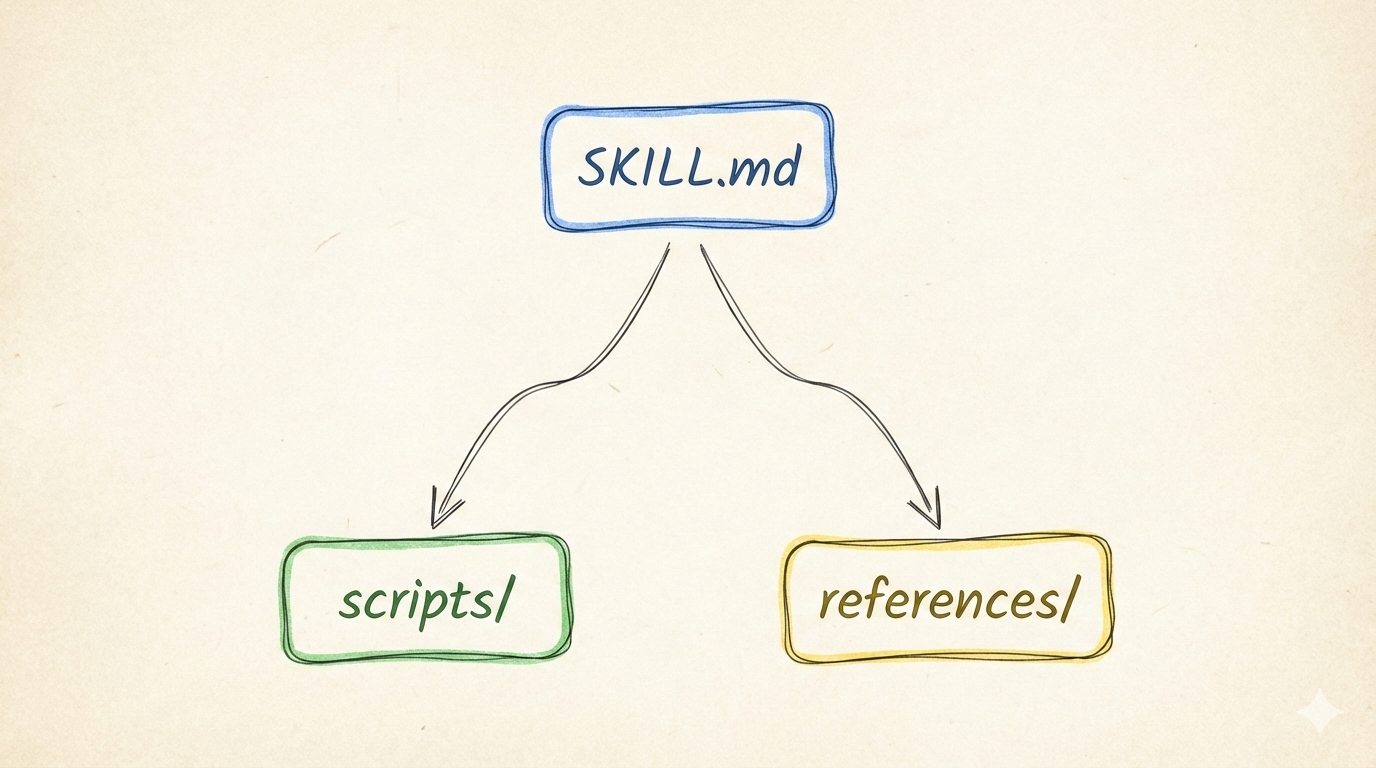
Each Skill has three parts. Together, they give it both a brain and hands.
SKILL.md: the brain
This is the core instruction file. It includes:
- Frontmatter: metadata such as
nameanddescription - Body: workflow and usage guidance
A central principle here is:
- Concise is Key: the context window is shared, so only keep essential instructions here
- Anything detailed belongs in
references/
scripts/: the hands
This folder contains executable code in Python, Bash, or TypeScript. It is useful for:
- operations that need deterministic reliability
- avoiding repeated regeneration of the same code
- complex automation flows
Example: baoyu-post-to-wechat/scripts/wechat-article.ts
It handles:
- Chrome CDP automation
- Markdown → WeChat HTML conversion
- image upload and placeholder replacement
references/: the knowledge base
This holds detailed material that can be loaded when needed:
- API docs
- domain knowledge
- in-depth guides
The advantage is simple: SKILL.md stays lean, while reference material remains available without wasting context.
Case study 1: a blog-writing Skill bundle
The recurring problem
For a technical blogger, creating a Hugo post often means repeating the same explanations every time:
- what the frontmatter format should be
- how
categoriesdiffers fromtags - what the directory structure should look like
- which SEO requirements matter
- and so on
That back-and-forth can easily cost 5 to 8 minutes per article.
The solution: six Skills working together
<table> <thead> <tr> <th>1 2 3 4 5 6 7</th>
<th>blog-writing/ ├── SKILL.md # 主技能 ├── hugo-blog-writer/ # 创建 Hugo 文章 ├── blog-quality-assurance/ # 质量检查(5 维度) ├── directory-namer/ # 智能目录命名 ├── tag-selector/ # 智能标签选择 └── markdown-formatter/ # Markdown 格式化</th>
</tr>
</thead>
<tbody>
<tr>
<td></td>
<td></td>
</tr>
</tbody>
</table>
The core design decision was to define Hugo conventions explicitly in SKILL.md.
1 2 3 4 5 6 7 8 9</th>
<th>## Frontmatter 模板 --- title: "{{title}}" description: "{{description}}" date: {{date}} slug: {{slug}} categories: {{category}} # 文本格式,非数组 tags: [{{tags}}] # 数组格式 ---</th>
</tr>
</thead>
<tbody>
<tr>
<td></td>
<td></td>
</tr>
</tbody>
</table>
That alone prevents Claude from confusing categories and tags.
Five quality dimensions
The blog-quality-assurance Skill checks content across five areas:
- ✅ SEO: title, description, keywords
- ✅ Readability: paragraph length, sentence structure
- ✅ Content quality: logic, completeness
- ✅ Formatting: Markdown syntax, links
- ✅ User experience: navigation, citations
The practical difference is stark:
- Before: 5–8 minutes of clarification and checking
- After: one command, about 30 seconds, and the output already follows the rules
Case study 2: publishing to WeChat with a Skill
Why this task is painful
The WeChat Official Account editor is notoriously awkward:
- ❌ no native Markdown support
- ❌ images must be uploaded one by one
- ❌ formatting breaks easily
The manual process usually takes 20 to 30 minutes.
The approach: Chrome CDP automation
Using Puppeteer, the entire publishing flow can be automated:
<table> <thead> <tr> <th>1 2 3 4 5 6 7</th>
<th>// 核心流程 1. 打开 Chrome(保留登录会话) 2. 转换 Markdown → WeChat HTML 3. 粘贴到编辑器 4. 自动上传所有图片 5. 应用主题样式 6. 等待人工确认后发布</th>
</tr>
</thead>
<tbody>
<tr>
<td></td>
<td></td>
</tr>
</tbody>
</table>
The hardest part: image placeholders
The main challenge is converting a Markdown image like  into an actual image inside the WeChat editor.
The working solution uses a placeholder-and-replace strategy:
- Conversion stage:
→<img src="placeholder:a.png"> - Paste stage: paste the generated HTML into the editor
- Upload stage: - find all placeholders using six matching patterns - upload local images - replace placeholders with the image IDs created by the WeChat editor
1 2 3 4 5 6 7 8 9 10 11 12 13</th>
<th>// 6 种占位符匹配策略 const placeholderPatterns = [ /placeholder:([^.]+)/, /wechat-placeholder:([^.]+)/, /data-placeholder="([^"]+)"/, // ... 更多模式 ]; // 验证粘贴是否成功 const textLength = await page.evaluate(() => { return document.body.innerText.length; }); console.log(`✅ Content check: ${textLength} chars`);</th>
</tr>
</thead>
<tbody>
<tr>
<td></td>
<td></td>
</tr>
</tbody>
</table>
Lessons from the failure cases
Pitfall 1: images fail to insert
Cause: the WeChat editor loads slowly, so the HTML was not pasted correctly.
Fix:
- increase the wait time from 3s to 5s
- add content verification
- generate a manual insertion guide as fallback
Pitfall 2: the paste event gets intercepted
Cause: the editor blocks simulated keyboard paste events.
Fix: use a real clipboard paste event instead.
The end result cuts the workflow from 20–30 minutes to 2–3 minutes with full automation.
Case study 3: a memory-system Skill
The underlying problem
AI does not naturally remember important information across sessions.
- Conversation 1: you explain that you prefer charts
- Conversation 2: you explain it again
- Conversation 3: you explain it a third time
The solution: a four-layer memory model
<table> <thead> <tr> <th>1 2 3 4 5 6 7</th>
<th>L4_核心层(价值观) ← 只能手动修改 ↑ L3_认知层(思维模式) ← 月复盘提炼 ↑ L2_行为层(习惯偏好) ← 周复盘提炼(3次+) ↑ L1_情境层(日常记录) ← 实时记录</th>
</tr>
</thead>
<tbody>
<tr>
<td></td>
<td></td>
</tr>
</tbody>
</table>
How the layers work
L1_情境层 stores daily events, decisions, and emotions.
L2_行为层 captures preferences that appear at least three times.
L3_认知层 extracts higher-level principles from repeated behaviors.
L4_核心层 is special: it can only be changed manually.
Detecting recurring patterns
If a user says, “I prefer charts,” the system can check whether that preference has appeared before:
<table> <thead> <tr> <th>1 2 3</th>
<th>Grep "图表" AI_MEMORY/L1_情境层/ # 结果:发现这是第 5 次出现 # 建议:记录到 L2_行为层/工作习惯.md</th>
</tr>
</thead>
<tbody>
<tr>
<td></td>
<td></td>
</tr>
</tbody>
</table>
What this looks like in use
Scenario: the user expresses a preference.
<table> <thead> <tr> <th>1 2 3 4 5 6 7</th>
<th>我:"我更喜欢用图表而不是大段文字" Claude: ✅ 已记录到 L1_情境层/2026-01.md 💡 检测到这是第 5 次出现"图表偏好", 是否记录到 L2_行为层/工作习惯.md?</th>
</tr>
</thead>
<tbody>
<tr>
<td></td>
<td></td>
</tr>
</tbody>
</table>
This is where the “gets smarter with use” claim becomes real. Instead of restarting from zero every session, the system begins to understand stable preferences.
Advanced pattern: Skills working together
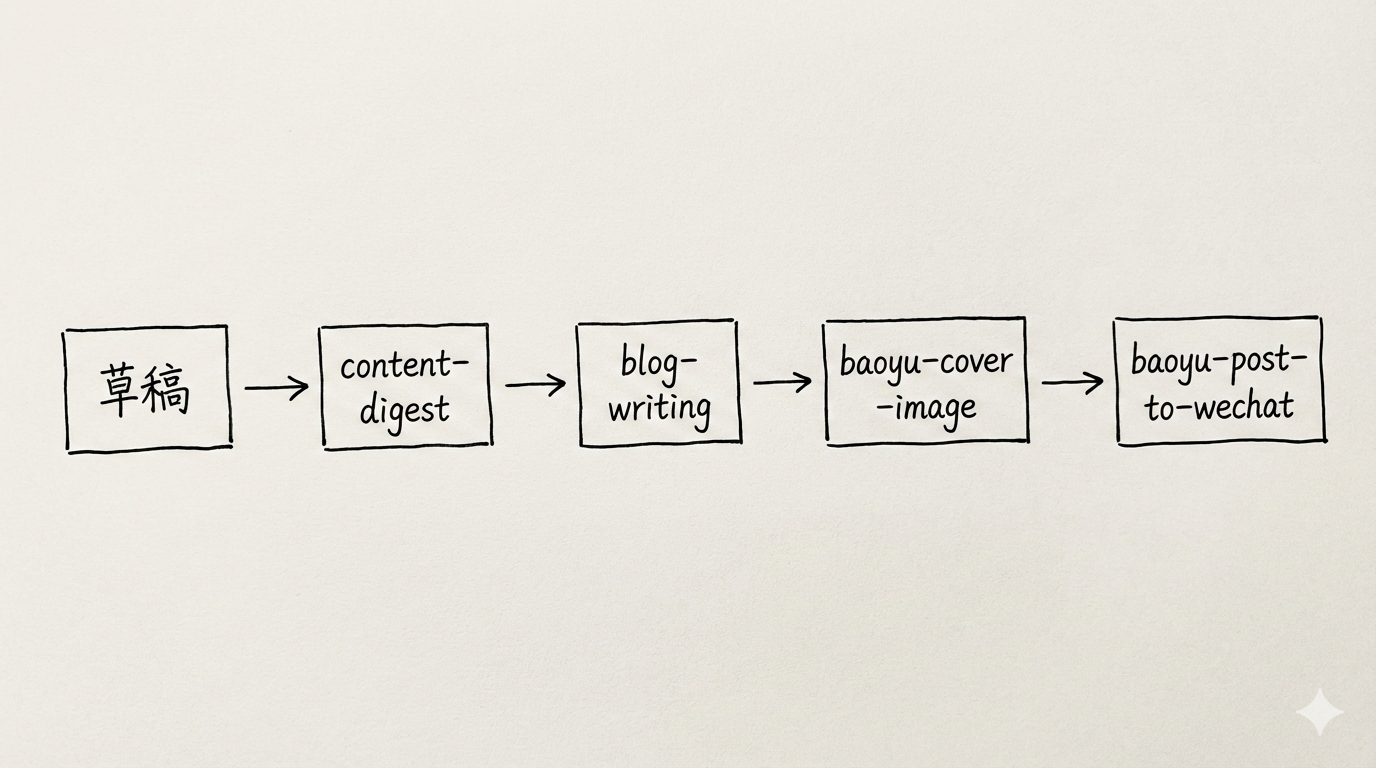
Once individual Skills are reliable, the bigger advantage comes from coordination.
1. Pipeline
<table> <thead> <tr> <th>1</th>
<th>草稿 → content-digest → blog-writing → baoyu-post-to-wechat → 发布</th>
</tr>
</thead>
<tbody>
<tr>
<td></td>
<td></td>
</tr>
</tbody>
</table>
2. Router
<table> <thead> <tr> <th>1 2 3 4 5</th>
<th>文章 → 判断类型 → { "技术博客": blog-writing "公众号": wechat-article-standardizer "小红书": baoyu-xhs-images }</th>
</tr>
</thead>
<tbody>
<tr>
<td></td>
<td></td>
</tr>
</tbody>
</table>
3. Loop
<table> <thead> <tr> <th>1</th>
<th>草稿 → blog-quality-assurance → 检查 → 有问题 → 优化 → 再检查 → 通过</th>
</tr>
</thead>
<tbody>
<tr>
<td></td>
<td></td>
</tr>
</tbody>
</table>
These patterns make it possible to think in workflows rather than isolated commands.
Best practices for designing Skills
1. Three principles that matter most
Principle 1: Concise is Key
A bad Skill file is bloated with explanation.
Bad example:
<table> <thead> <tr> <th>1 2 3 4</th>
<th>## 如何使用这个技能 首先,你需要确保你的计算机上安装了 Node.js 环境。 Node.js 是一个基于 Chrome V8 引擎的 JavaScript 运行时...</th>
</tr>
</thead>
<tbody>
<tr>
<td></td>
<td></td>
</tr>
</tbody>
</table>
Better:
<table> <thead> <tr> <th>1 2 3</th>
<th>## Prerequisites - Node.js 18+ - Bun runtime (via `npx -y bun`)</th>
</tr>
</thead>
<tbody>
<tr>
<td></td>
<td></td>
</tr>
</tbody>
</table>
The point is to preserve context budget for what actually guides execution.
Principle 2: set the right degree of freedom
<table> <thead> <tr> <th>Degree of freedom</th> <th>Best use case</th> <th>Example</th> </tr> </thead> <tbody> <tr> <td>High (text instructions)</td> <td>Many valid approaches</td> <td>content creation, strategy planning</td> </tr> <tr> <td>Medium (parameterized scripts)</td> <td>recurring patterns with variation</td> <td>template selection in blog-writing</td> </tr> <tr> <td>Low (fixed scripts)</td> <td>fragile operations</td> <td>image upload in WeChat</td> </tr> </tbody> </table>A useful analogy is pathfinding:
- in an open field, high freedom works well
- on a narrow bridge, low freedom and guardrails matter
Principle 3: avoid duplication
Information should live in one place only:
- ✅
SKILL.md: core workflow - ✅
references/: detailed documentation - ❌ both at once: wasted tokens and needless maintenance
2. Naming conventions
Recommended formats:
<domain>-<action><project>-<feature>
Examples:
<table> <thead> <tr> <th>1 2 3 4 5 6</th>
<th>✅ blog-writing ✅ baoyu-post-to-wechat ✅ mem-record ❌ blogWriter(不要驼峰) ❌ post_wechat(不要下划线)</th>
</tr>
</thead>
<tbody>
<tr>
<td></td>
<td></td>
</tr>
</tbody>
</table>
3. Version management
As the number of Skills grows, versioning becomes essential.
<table> <thead> <tr> <th>1 2 3 4 5 6</th>
<th>.claude/skills/ ├── blog-writing/ │ ├── SKILL.md │ ├── CHANGELOG.md # 版本历史 │ └── ... └── iteration-log-2026-01-20.md # 技能迭代日志</th>
</tr>
</thead>
<tbody>
<tr>
<td></td>
<td></td>
</tr>
</tbody>
</table>
A simple changelog and iteration log make long-term refinement much easier.
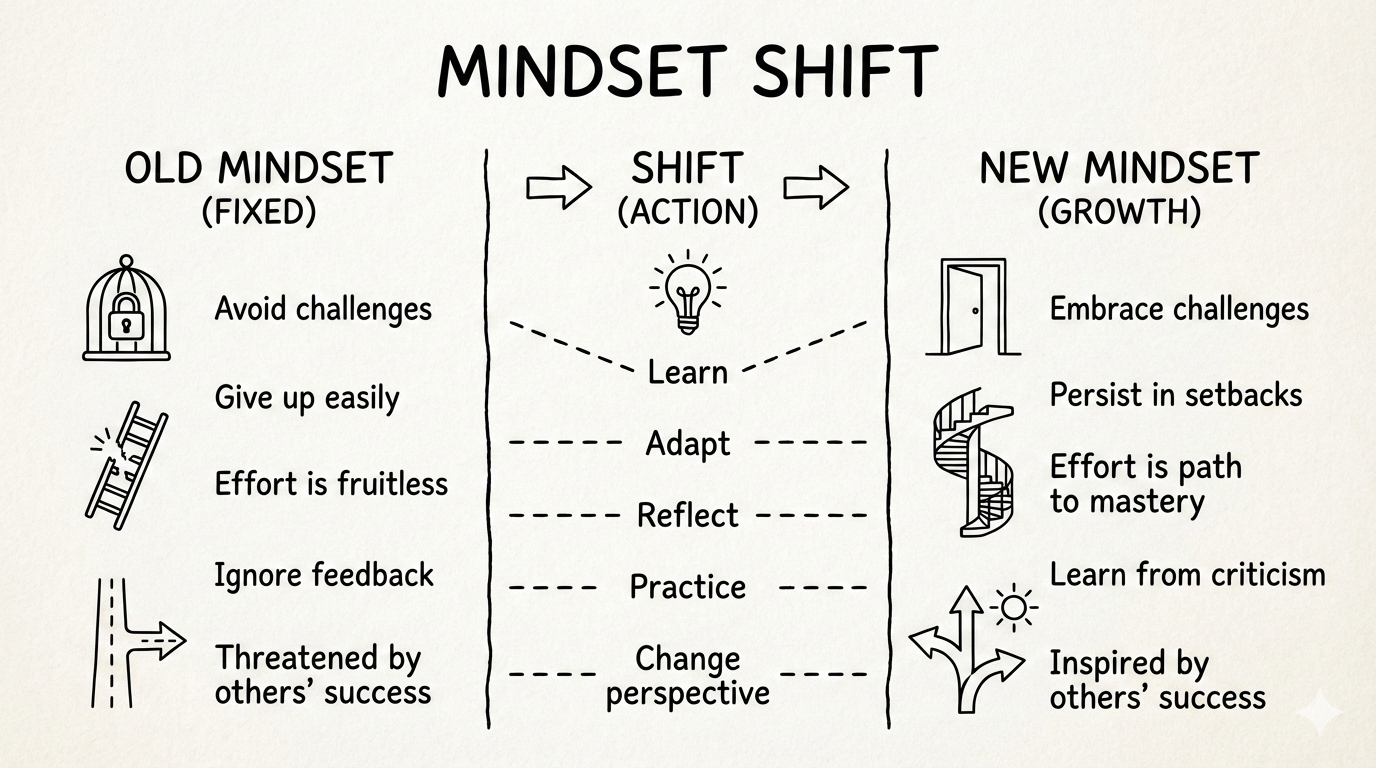
The deeper shift: from chatbot to agent team
The most important change is not technical. It is conceptual.
Shift 1: from disposable conversations to accumulated experience
Old model:
<table> <thead> <tr> <th>1</th>
<th>对话 → 使用 → 遗忘 → 下次重复解释</th>
</tr>
</thead>
<tbody>
<tr>
<td></td>
<td></td>
</tr>
</tbody>
</table>
New model:
<table> <thead> <tr> <th>1</th>
<th>对话 → 提炼为 Skill → 持续改进 → 越用越聪明</th>
</tr>
</thead>
<tbody>
<tr>
<td></td>
<td></td>
</tr>
</tbody>
</table>
A memory Skill like mem-record shows this clearly:
- the first time, it records a decision
- by the third repetition, it recognizes a pattern and promotes it to L2
- over many repetitions, it becomes a stable habit model
Shift 2: from one general assistant to a specialist team
Old model:
<table> <thead> <tr> <th>1</th>
<th>一个 Claude 什么都做,但什么都不精</th>
</tr>
</thead>
<tbody>
<tr>
<td></td>
<td></td>
</tr>
</tbody>
</table>
New model:
<table> <thead> <tr> <th>1 2 3 4</th>
<th>blog-writing (博客专家) baoyu-post-to-wechat (公众号专家) mem-record (记忆管理专家) pdf/document (文档处理专家)</th>
</tr>
</thead>
<tbody>
<tr>
<td></td>
<td></td>
</tr>
</tbody>
</table>
And those specialists can cooperate:
<table> <thead> <tr> <th>1 2 3 4 5</th>
<th>我 → blog-writing (创建内容) ↓ baoyu-cover-image (设计封面) ↓ baoyu-post-to-wechat (发布)</th>
</tr>
</thead>
<tbody>
<tr>
<td></td>
<td></td>
</tr>
</tbody>
</table>
Shift 3: from passive response to active execution
Old model:
<table> <thead> <tr> <th>1 2 3 4</th>
<th>我:"帮我做 X" Claude:"好的,怎么?" 我:"步骤 1..." Claude:"然后呢?"</th>
</tr>
</thead>
<tbody>
<tr>
<td></td>
<td></td>
</tr>
</tbody>
</table>
New model:
<table> <thead> <tr> <th>1 2</th>
<th>我:"Skill: blog-writing 创建一篇博客" Claude:[自动完成所有步骤]</th>
</tr>
</thead>
<tbody>
<tr>
<td></td>
<td></td>
</tr>
</tbody>
</table>
How to start building your own AI agent team
Week 1: build the first Skill
Start with the smallest useful repetition:
- identify a task you have repeated at least three times
- create a Skill directory
- write
SKILL.md - test and iterate
Weeks 2–3: build bundles
Group related Skills into packages, such as:
- blog-writing (6 sub-skills)
- content creation (4 skills)
- memory system (5 skills)
Week 4: connect the Skills
At this stage, Skills begin calling one another:
- a blog publishing pipeline
- automated content creation
- a closed-loop knowledge management flow
After one month
The payoff becomes visible:
- ✅ more than 80% of repetitive tasks automated
- ✅ AI better aligned with your preferences over time
- ✅ a shift from operator to orchestrator
- ✅ a 24/7 AI agent team ready to work
What matters most about Claude Skills is not automation by itself. It is the change in how work is structured.
The tool stops behaving like a single assistant. It starts behaving like a coordinated team.
And the human role changes with it: less about writing every step by hand, more about designing, directing, and refining intelligent systems.