Once a site starts receiving visitors from outside mainland China, or is aimed at an international audience, a free domestic CDN can quickly become the weak link. Mainland nodes are not designed for that traffic, and the global acceleration plans sold by CDN providers are usually much more expensive than their domestic packages. There are, however, free overseas acceleration options that work well for static sites and small projects.
The options worth knowing are Cloudflare, Vercel, and Heroku. All three offer free SSL certificates and support Git-based deployment. Cloudflare’s Git deployment support exists, but its Git import entry is not obvious on the official site.
Vercel is the strongest recommendation here. Cloudflare does have mainland nodes in Chongqing and Chengdu, and it can host static pages directly, but using its mainland nodes requires ICP filing and is not free. Many people also report that Cloudflare can slow a site down. If your blog is a frequent target for attacks, Cloudflare is still a sensible choice. Heroku is another possibility, though it has not proved as smooth as Vercel in practice.
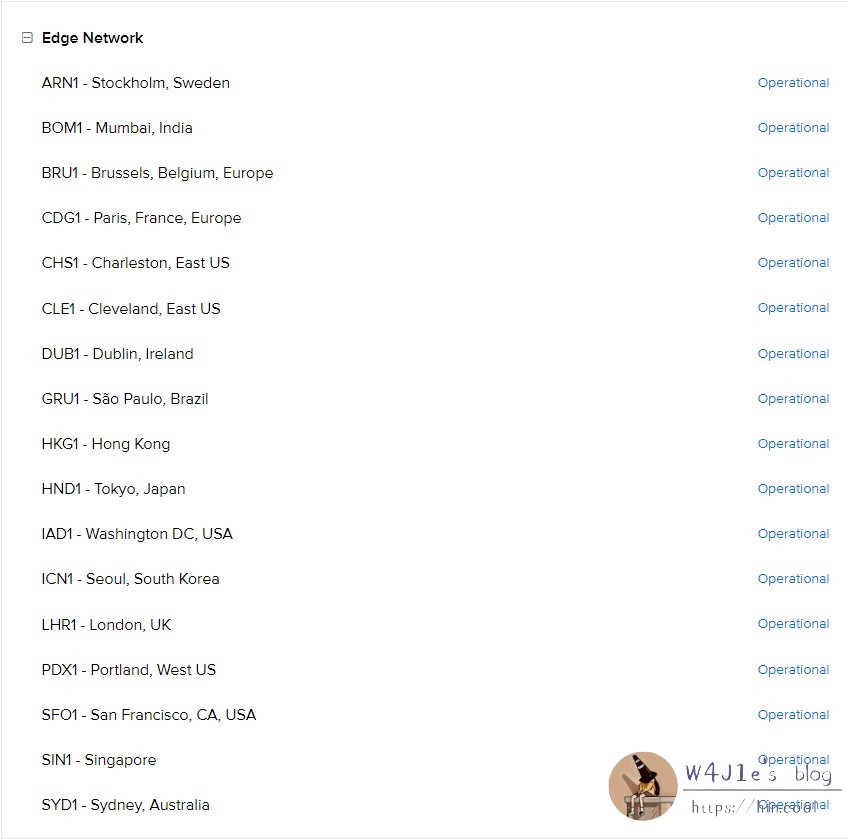
Vercel deployment is close to foolproof, which explains why the experience is so good. It also has a broad edge network. The closest node to mainland China is in Hong Kong; in practice, China Telecom traffic may be anycast to Singapore. A site without ICP filing can still run on Vercel, and in most mainland provinces the speed is not especially slow.
Signing up and importing a project
Register an account on Vercel, or sign in directly with GitHub. Developers should use a GitHub account so repositories can be imported and deployed without extra work.
Click New Project in the top right corner to import a project or start from a template. On the import screen, the left side lists GitHub repositories, whether you built them yourself or forked them; the right side offers templates, including common blog generators such as Hexo, Hugo, and Jekyll.
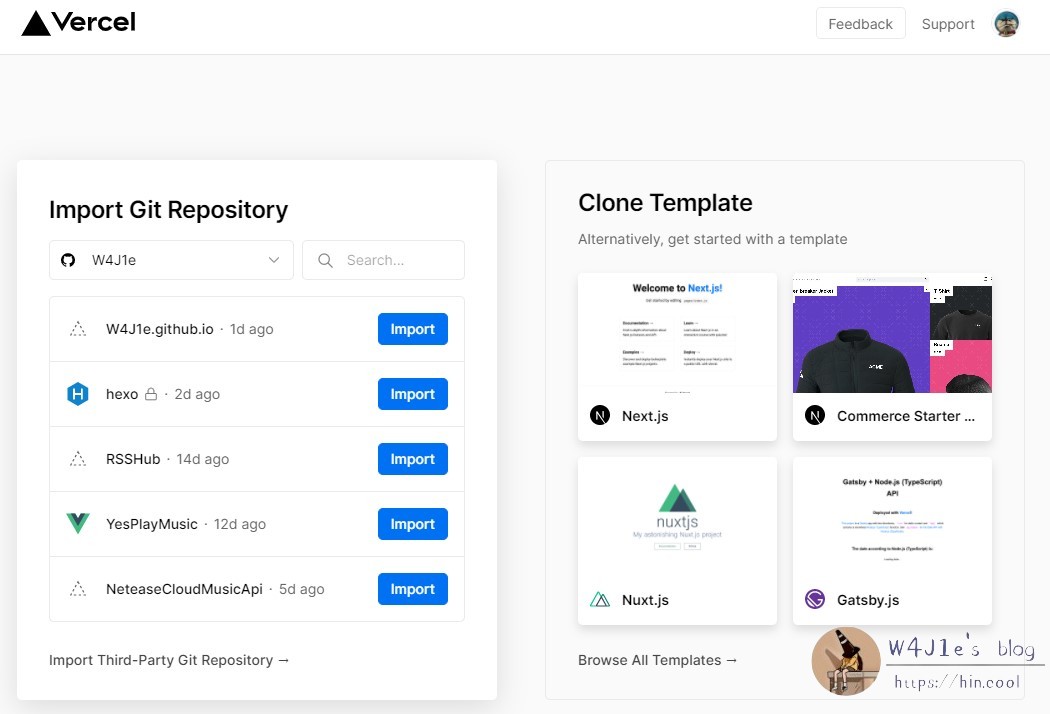
Choose the repository or template you want, import it, and deployment starts automatically. When deployment finishes, the page shows a small celebration; click Visit to open the site on the free subdomain Vercel assigns.
Pointing a domain at Vercel
First, add your domain in Vercel. Open the deployed project, go to Settings → Domains, enter your domain, and click Add.
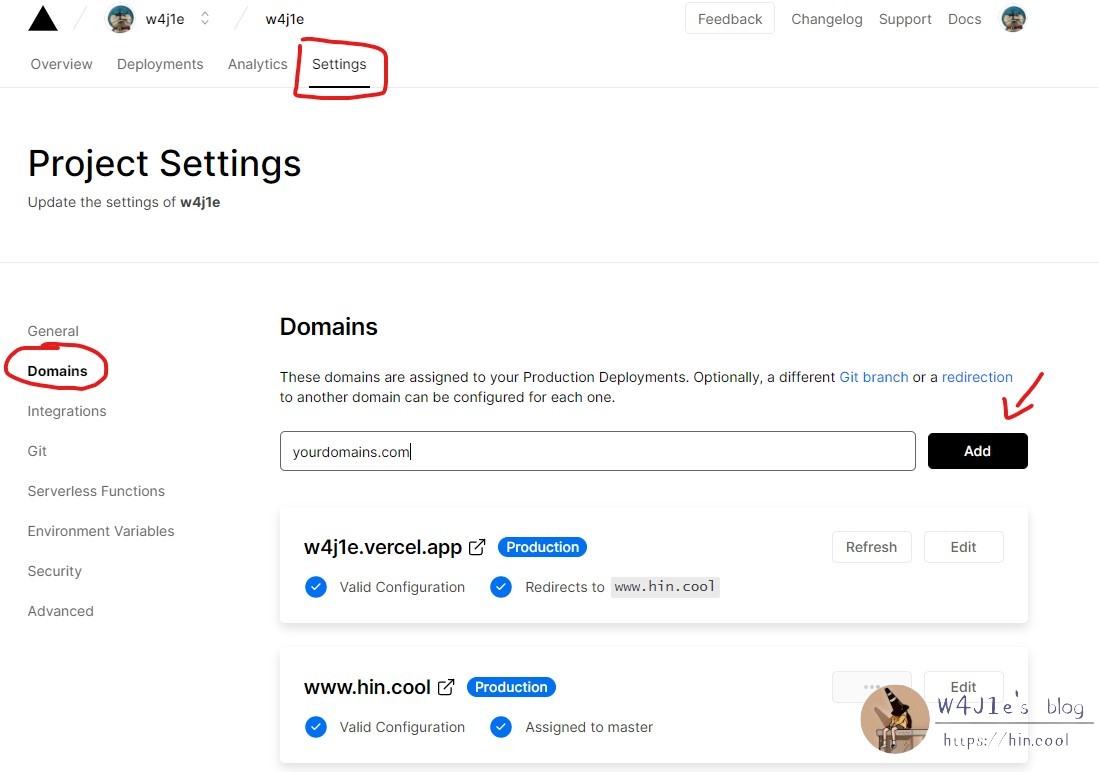
Vercel will return either an A record or a CNAME record, depending on the domain you are binding. It is usually better to resolve one hostname to Vercel and set the other as a 301 redirect to the canonical one. Click Edit to configure the redirect inside Vercel.
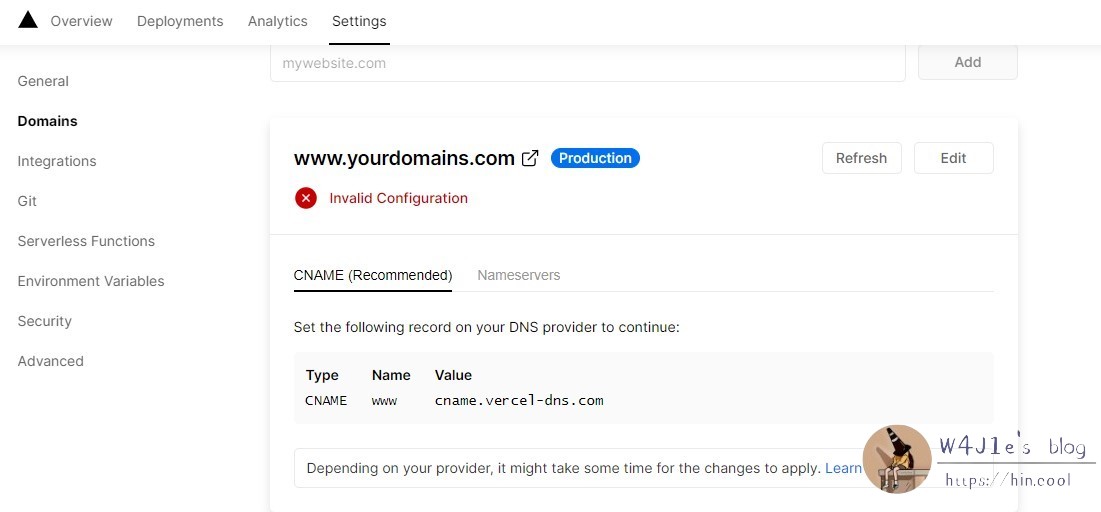
Next, add the corresponding record at your DNS provider. With DNSPod, for example, add the CNAME value shown by Vercel. If you do not have a mainland CDN or server, you can simply point the domain to Vercel by default. If you do, DNSPod can return separate records for mainland and overseas traffic.

One working arrangement is: overseas traffic resolves to Vercel, mainland traffic resolves to Doge Cloud, and the default record points to Upyun. That completes the mainland/overseas split.
Why Vercel is worth using
Vercel’s free tier is unusually generous for hobby projects: 100 deployments per day and 100 GB of traffic per month. If an imported GitHub repository gets a new pull request or commit, Vercel pulls the code and deploys it automatically; no extra operation is needed. SSL works the same way. Whenever a domain is successfully pointed at Vercel, the certificate is requested and renewed for free.
That makes Vercel useful for small projects such as an RSS reader, a NetEase Cloud Music API, or an online player. Even when the project was forked rather than written from scratch, it can keep pulling updates from the source repository and let Vercel redeploy them automatically. For a free service that handles Git deployment and certificates this smoothly, that is a lot of value.